
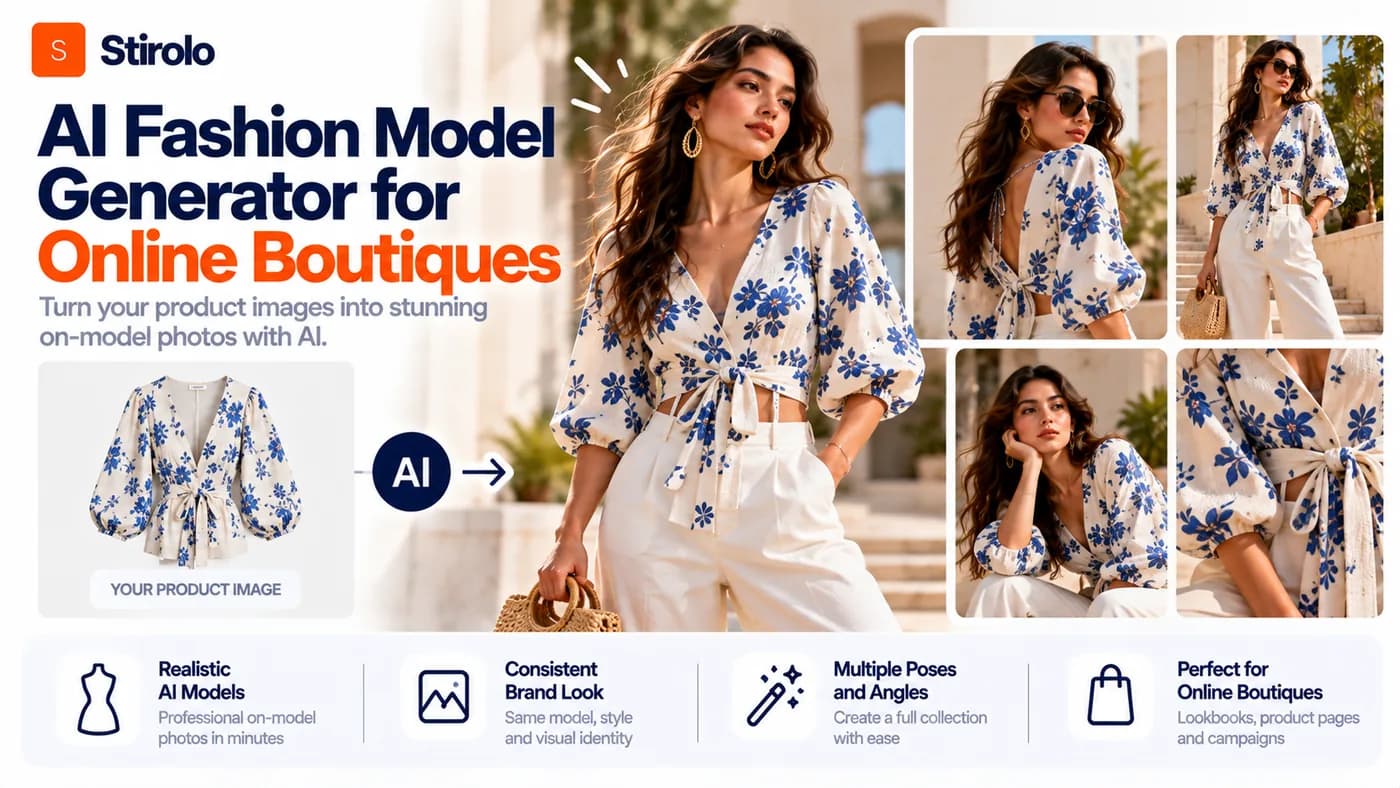
An AI fashion model generator for online boutiques turns garment photos into images of digital models wearing those products. The technology can reduce the amount of new photography a boutique needs, but the final image is useful only when the clothing still matches the item customers will receive.
For a boutique, realism is not enough. A beautiful model image can still be a bad ecommerce image if the AI changes the print, moves a pocket, shortens a hem, invents a button, or alters the silhouette. The right workflow therefore treats AI generation as a controlled catalog-production process rather than a shortcut for making attractive pictures.
What Is an AI Fashion Model Generator for Online Boutiques?
An AI fashion model generator creates or replaces the person in a fashion image while using a real garment photo as the product reference. Many current tools accept flat lays, hanger shots, ghost-mannequin images, or existing on-model photos. The merchant can then select a model, pose, background, or visual direction. Fashion-specific platforms increasingly offer controls for body type, age, appearance, scenes, and reusable model identities.
The generated person is not the product. The garment is. That distinction should guide every decision a boutique makes. If a source photo shows a cream ribbed cardigan with five dark buttons, the output should not become a smooth white cardigan with six buttons simply because the new image looks polished.
This category also differs from general text-to-image software. A fashion-specific generator is expected to anchor the output to an existing SKU. General image generation can be useful for mood boards and concepts, but ecommerce needs stronger control over product identity.
Why Are Online Boutiques Using AI Fashion Models?
Online boutiques often need more images than their production budget comfortably supports. One dress may need a clean product-page image, a second pose, a lifestyle scene, a social crop, an advertisement, and a seasonal campaign variation. Repeating a conventional shoot for every new SKU can create a bottleneck when collections change quickly or inventory arrives in small drops.
AI model generation changes the economics of image variation. A boutique can begin with an approved garment reference and test several model directions or scenes without booking a new studio session for every version. Current fashion platforms commonly support flat-lay or mannequin inputs and generate on-model images for ecommerce and marketing use.
The benefit is not simply lower production effort. It is flexibility. A boutique can test a consistent studio catalog, create region-specific creative, refresh campaign imagery, or show the same product on more than one model presentation. That flexibility becomes valuable when it supports the real product rather than replacing product truth with synthetic styling.
How to Use an AI Fashion Model Generator for an Online Boutique
To use an AI fashion model generator for an online boutique, build a repeatable process from source photography to final approval. Do not generate each SKU independently with different visual rules. A controlled workflow makes the catalog feel intentional and makes errors easier to detect.
1. Start With a Clean Garment Reference
Use the clearest source image available. The entire garment should be visible, in focus, evenly lit, and free from heavy shadows or obstructions. Flat lays, hanger images, and ghost-mannequin photos can work, but extra references are valuable when the garment has a complex print, unusual hardware, embroidery, side details, or a distinctive back.
A single front photo cannot prove what the back looks like. AI may infer missing information, and an inference can look convincing while being wrong. Keep front, back, detail, label, print, and hardware references with the SKU when those details matter to the sale.
2. Choose a Repeatable Model System
Decide what the boutique wants its people imagery to communicate before generating a full catalog. Define model age range, general styling, body presentation, grooming, pose family, crop, camera height, lighting, and background. Use the same rules across related products.
Model diversity can be useful, but random variation is not the same as thoughtful representation. Choose model presentations that fit the customers, product category, and brand identity. If a generator supports reusable model identities, save a small approved cast rather than choosing a new face for every SKU.
3. Generate Product Images Before Campaign Images
Create the least complicated ecommerce image first. Use a neutral pose and simple background so reviewers can compare the generated garment with the source. Lifestyle scenes, dramatic poses, props, and directional lighting introduce more variables and can hide product errors.
Once the neutral version passes review, create campaign variations from the approved direction. This order separates product validation from creative experimentation. It also gives the team a reliable reference when a later image drifts.
4. Check Garment Fidelity Against the Real SKU
Garment fidelity means the generated clothing remains recognizably and materially faithful to the product being sold. Review color, print scale and placement, logos, neckline, sleeve shape, hem length, seams, buttons, zippers, pockets, trim, silhouette, texture, and visible drape. Compare the output side by side with the source instead of relying on memory.
Reject images with meaningful product changes even when the model looks excellent. Ecommerce imagery creates expectations. A synthetic image that improves the garment beyond reality can become a merchandising problem rather than a photography improvement.
5. Standardize the Catalog Before Publishing
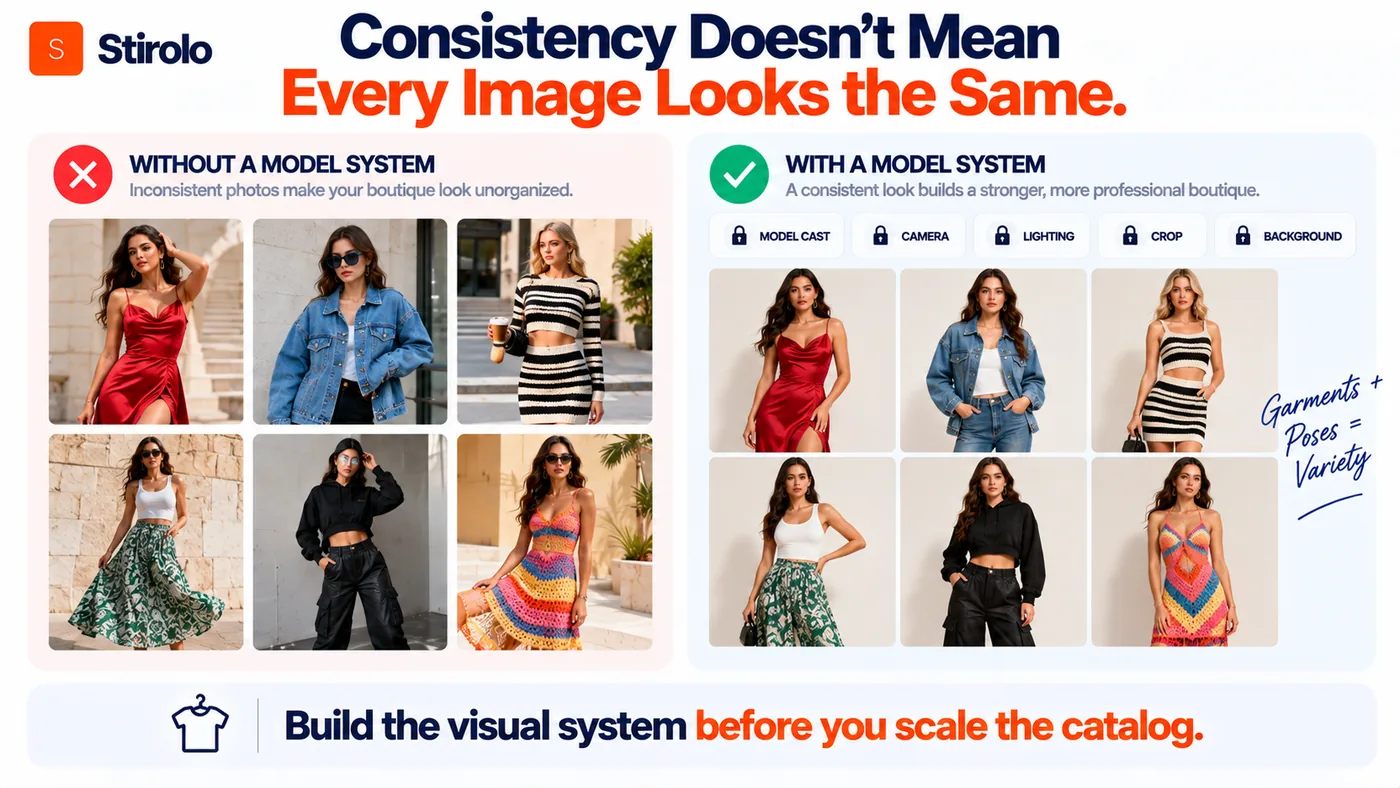
Approved images should share consistent crop ratios, background treatment, model scale, headroom, lighting direction, and file specifications. Standardization matters because customers compare products in grids. A catalog where every model has a different scale or camera angle feels less coherent and makes garment comparison harder.
Keep a master image policy for product pages and a separate creative policy for campaigns. Product pages need comparability. Campaigns can tolerate more variation because their job is to attract attention and communicate a story.
What Makes an AI Fashion Model Image Accurate Enough for Ecommerce?
An AI model image is accurate enough for ecommerce when a reasonable customer would recognize the displayed garment as the same product they receive, without important visual details being invented, removed, or materially altered. Photorealism alone does not meet that standard.
Create an approval checklist for every SKU. Confirm the base color under neutral lighting. Inspect repeat patterns and graphic placement. Count visible buttons and pockets. Check neckline depth, collar shape, sleeve length, waistband position, hem, and any asymmetrical design. Zoom into logos, text, embroidery, lace, and small hardware because generative systems can distort fine details.
Fit requires extra caution. A generated image can suggest how a garment might sit on a body, but it does not automatically prove real-world fit for a specific customer. Fabric stretch, garment measurements, construction, and body measurements affect fit. Keep accurate size charts, measurements, fabric information, and fit notes available beside any generated model imagery.
How Do You Keep AI Models Consistent Across a Boutique Catalog?
Keep AI models consistent by defining a small cast and locking the visual variables that should not change between products. Consistency is a production rule, not something to fix after hundreds of images have been generated.
Build a model card for each approved digital model. Record the selected identity or preset, body presentation, hair, makeup direction, pose set, facial expression, camera distance, background, and lighting. If the platform allows saved models or brand presets, use them. If it does not, store reference images and repeat the same settings as closely as possible.
The same principle applies to consumer styling systems: better visual output starts with structured information about the person and the clothes. Stirolo combines body context, wardrobe data, and visualization in its AI styling features, showing why persistent context matters when clothing is represented digitally.
Consistency should not force every image to look identical. A boutique can use two or three approved models and several poses while keeping camera language and product presentation stable. The goal is a recognizable visual system, not a cloned catalog.
AI Fashion Model Generator vs Virtual Try-On: What Is the Difference?
An AI fashion model generator creates merchant-facing imagery of a garment on a generated or selected model. Virtual try-on is shopper-facing: it attempts to visualize a garment on a particular person, uploaded photo, avatar, or body representation. The two technologies can overlap, but their primary jobs are different.
Boutiques use fashion model generation to produce catalog, lookbook, advertisement, and social assets. A shopper uses virtual try-on to ask a personal question: what might this item look like on me? The second task requires personal inputs and carries stronger expectations around body representation and fit perception.
Stirolo illustrates the personal side of this distinction. Its personal styling workflow uses body, wardrobe, taste, occasion, and environment context before generating outfit visuals. A boutique catalog generator usually starts from the opposite direction: the SKU comes first, and the model is part of the merchandising presentation.
Where Should Boutiques Use AI Model Photos?
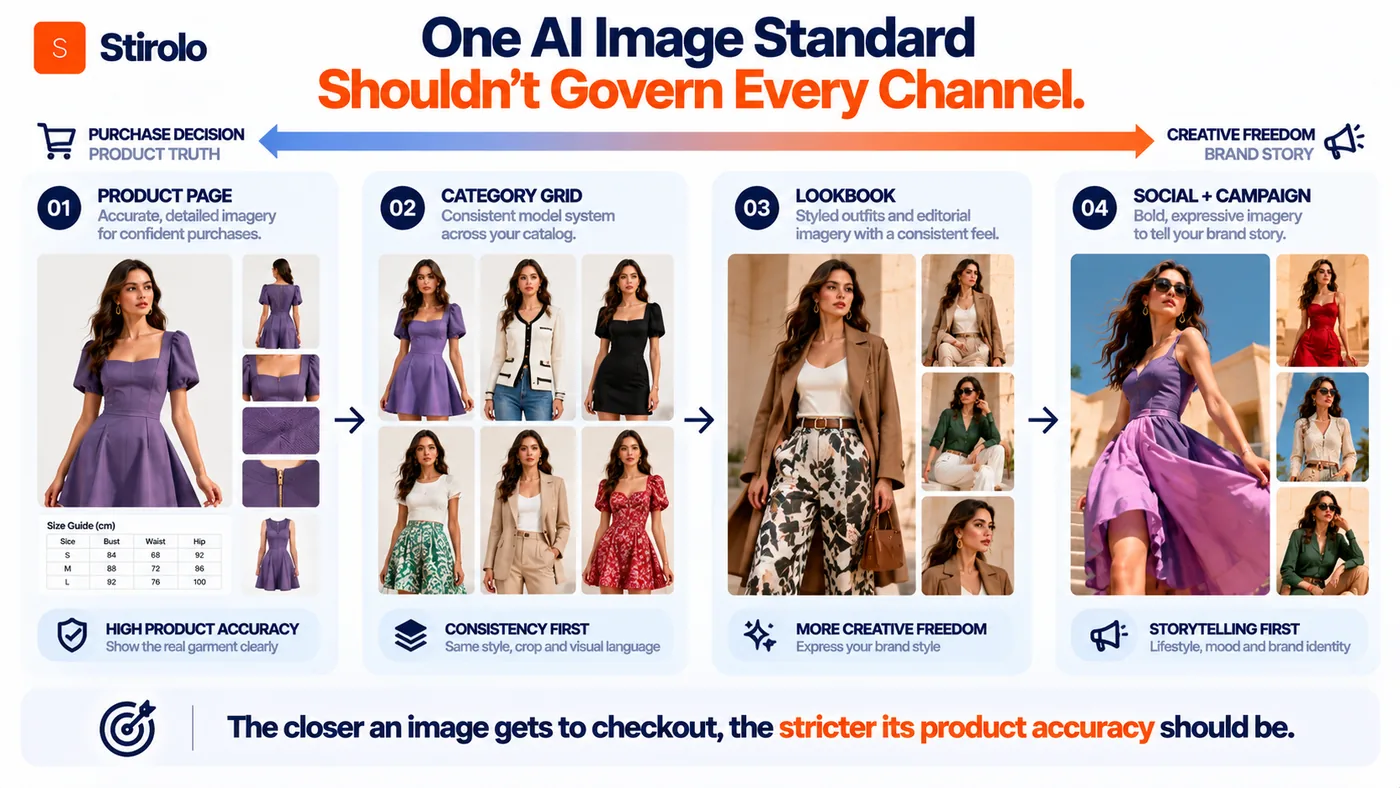
Use AI model photos where they add useful context without hiding product facts. Product detail pages can benefit from a clean on-model image beside real flat lays, close-ups, measurements, or other verified product views. Category pages benefit from consistent crops and model scale. Lookbooks can use broader poses and scenes. Social posts and paid creative can test more expressive backgrounds and compositions.
Do not assume one generated image should replace every form of product photography. Detail shots remain important for texture, construction, print, hardware, and features that a full-body model image cannot show clearly. A boutique selling premium materials or unusual construction may need more real photography than a store selling visually simple basics.
A useful channel rule is simple: the closer an image is to the purchase decision, the stricter the product-accuracy standard should be. Creative freedom can increase as the image moves from product evidence toward campaign storytelling.
What Should You Look for When Choosing AI Fashion Model Software?
Choose software by testing it on difficult products, not by judging its best demo images. Use garments with stripes, text, small prints, unusual necklines, reflective hardware, layered construction, and asymmetry. Easy basics do not reveal where a system fails.
Evaluate garment fidelity first. Then test whether the same model can be reused across SKUs, whether poses and scenes are controllable, and whether the platform supports batch production. Check export resolution, aspect ratios, revision controls, team review, integrations, API access if needed, and the commercial terms for generated assets.
Run a paid pilot on a small collection before moving the full catalog. Measure usable outputs, review time, regeneration rate, and manual retouching. The cheapest generation price can become expensive if most images require repeated correction.
What Can Go Wrong With AI Fashion Model Photography?
The most serious failure is product drift. AI can alter details that customers use to judge the item. Other failures include inconsistent faces, impossible hands, warped accessories, unnatural fabric behavior, strange shadows, mismatched reflections, or poses that make the clothing difficult to read.
Brand inconsistency is a quieter problem. If each product uses a different face, lens, lighting style, body scale, and background, the store can begin to look like a collection of unrelated marketplace listings. Build the visual system before scaling generation.
Customer trust should remain part of the decision. Keep product descriptions, measurements, material information, and return policies grounded in verified facts. If a platform or marketplace requires labels for synthetic media, follow its current rules. Provenance tools can support transparency, but they do not replace accurate merchandising.
How Should a Boutique Build a Hybrid AI and Real Photography Workflow?
A hybrid workflow uses real photography where physical truth matters most and AI where controlled variation creates value. Start with accurate source assets for each SKU. Keep real close-ups for fabric, trims, labels, construction, and other details that customers may inspect. Use AI to create additional on-model presentations, approved poses, alternate models, or campaign scenes.
This model also protects the boutique from over-relying on a single generated view. Real source photography remains the reference record. AI assets become derivatives that can be regenerated as creative needs change.
Boutiques can also study how outfit presentation changes the perceived relationship between pieces. Stirolo's practical style guides cover fit, color, capsules, seasonal dressing, travel, and occasions. Those principles are useful when planning styled looks, even though ecommerce imagery still needs to preserve the exact products being sold.
For a small boutique, begin with one category and one approved model system. Compare production time, usable-image rate, customer feedback, and return-related questions before expanding. Scale the process that survives review, not the process that generates the most pictures.
Quick Reference: Boutique AI Fashion Image Workflow
| Stage | AI Task | Approval Check |
|---|---|---|
| Source | Upload clean SKU references | Real color, construction and details are visible |
| Model system | Choose approved model, pose and scene | Matches brand rules and remains repeatable |
| Generation | Create neutral on-model images first | Garment is readable and not obscured |
| Fidelity QA | Compare output with source SKU | Print, logo, seams, trims and silhouette match |
| Catalog QA | Standardize crop, scale and background | Collection reads as one visual system |
| Channel output | Create PDP, lookbook and campaign variants | Accuracy standard matches intended use |
Frequently Asked Questions
Can an AI fashion model generator replace a boutique photoshoot?
It can replace some on-model image production, especially for additional poses, models, and scenes. Keep real source and detail photography when customers need verified fabric, construction, color, or fit information.
Can I turn a flat lay into an AI model photo?
Yes. Many fashion-specific generators accept flat lays, hanger photos, or ghost-mannequin images. Clean, complete garment references usually give the system more reliable visual information.
Will AI keep my clothing exactly the same?
Not always. Generative systems can change prints, logos, seams, lengths, trims, or fabric appearance. Every ecommerce output should be compared with the real SKU before publication.
Should an online boutique use the same AI model for every product?
No. A small approved cast can create variety while preserving brand consistency. Keep model identities, camera treatment, pose families, and backgrounds controlled across each collection.
Is an AI fashion model generator the same as virtual try-on?
No. Fashion model generation primarily creates merchant imagery. Virtual try-on is designed to visualize clothing on a particular shopper, photo, avatar, or body representation.
Build a Better Catalog Without Losing Product Truth
AI fashion model generators can give online boutiques more visual range without requiring a new physical shoot for every image variation. The strongest workflow starts with accurate garment references, uses a controlled model system, validates the product before the creative direction, and keeps real product evidence available where customers need it.
Treat every generated image as a draft until it passes garment-fidelity review. Scale only the model identities, poses, backgrounds, and workflows that remain consistent across multiple SKUs. Used this way, AI becomes a flexible layer in boutique content production while the real garment remains the source of truth.