
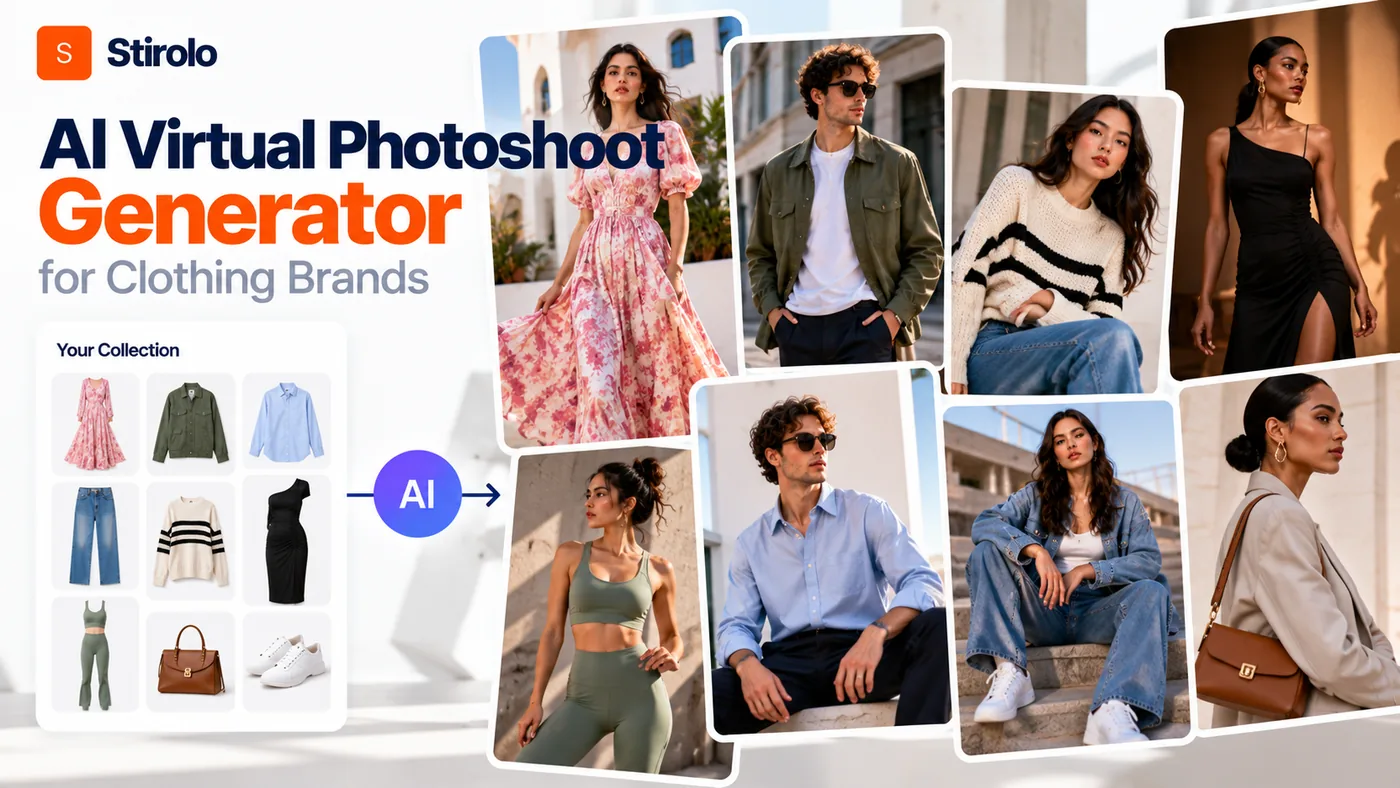
An AI virtual photoshoot generator for clothing brands turns garment photos into model-based ecommerce, lookbook, advertising, or social images without arranging a physical shoot for every asset. The useful standard is not whether the result looks impressive; it is whether the image keeps the clothing accurate enough that customers are seeing the product they can actually buy.
For apparel brands, that distinction changes the entire workflow. A generated face can look flawless while a neckline shifts, a logo moves, a print changes scale, or a hem becomes longer. Those errors may be minor in an inspiration image and serious on a product page. AI fashion photography therefore works best as a controlled production process with clear inputs, repeatable art direction, and human quality checks.
What Is an AI Virtual Photoshoot Generator for Clothing Brands?
An AI virtual photoshoot generator is a system that uses product imagery and generative image models to create new fashion photographs. A clothing brand can start with a flat lay, hanger image, ghost-mannequin shot, packshot, or an existing model photograph. The system then creates a new scene in which the garment appears on a selected or generated model.
Current tools may also let a brand change poses, backgrounds, camera framing, lighting, model appearance, or image format. Some are built mainly for clean product-detail-page images. Others focus on editorial campaigns, user-generated-content-style creative, video, or high-volume catalog production. The category overlaps with AI fashion model generators and AI product photography, but a full virtual photoshoot workflow usually combines garment placement, model generation, scene creation, and multiple coordinated outputs.
The advantage is flexibility: brands can test visual directions, fill catalog gaps, localize creative, and create extra assets from existing photography. Every generation, however, creates another chance for the system to alter the product.
How Does an AI Virtual Fashion Photoshoot Work?
To use an AI virtual photoshoot generator, start with a clean reference of the real garment, define the model and visual direction, generate several candidates, and compare every output with the original product before publishing. Treat generation as the middle of the workflow, not the final step.
Start With a Reliable Garment Image
The source image is the product specification the visual system can see. Photograph the garment in even light with the full silhouette visible. Keep logos, prints, closures, pockets, trims, hems, and texture readable. If the back differs from the front, provide a separate back reference rather than expecting the model to invent it correctly.
A clean flat lay can work well for simple tops, trousers, and dresses. Ghost-mannequin or existing on-model images can provide more information about volume and drape. Complex products need more references. Sheer panels, embroidery, sequins, layered garments, unusual fastenings, asymmetry, and reflective materials are easier to misinterpret when the system sees only one angle.
Cast the Model and Set the Scene
Choose a model, pose, background, and crop that match the image purpose. A product page usually benefits from neutral lighting, clear front and back views, and predictable framing. A campaign can tolerate more dramatic movement, lighting, and composition because its job is to communicate a mood as well as a product.
Lock repeatable elements where the platform allows it. If a collection is meant to look like one shoot, the model identity, lighting direction, lens feel, background family, crop, and color treatment should remain stable. Randomly changing these variables may create individually attractive images that look disconnected when placed together on a category page or lookbook.
Generate, Compare, and Correct
Generate several versions rather than accepting the first photorealistic result. Compare the garment against the original at high zoom. Reject images that alter product-defining details. If the platform supports masks, reference images, edit regions, or garment-preservation controls, use them to correct specific areas instead of regenerating the entire scene blindly.
Google has described apparel virtual try-on as a difficult image-generation problem because clothing must respond to a body through drape, folds, cling, stretch, wrinkles, and shadows. That is a useful reminder for brands: believable fabric behavior is part of product accuracy, not just visual polish. A smooth image can still communicate the wrong structure or fit.
What Should Clothing Brands Check Before Publishing AI Photos?
Check the garment first, the person second, and the aesthetics third. Ecommerce imagery has a representational job. The image should not create a feature, fit, finish, or construction detail that the physical product does not have.
Garment Fidelity Comes Before Model Realism
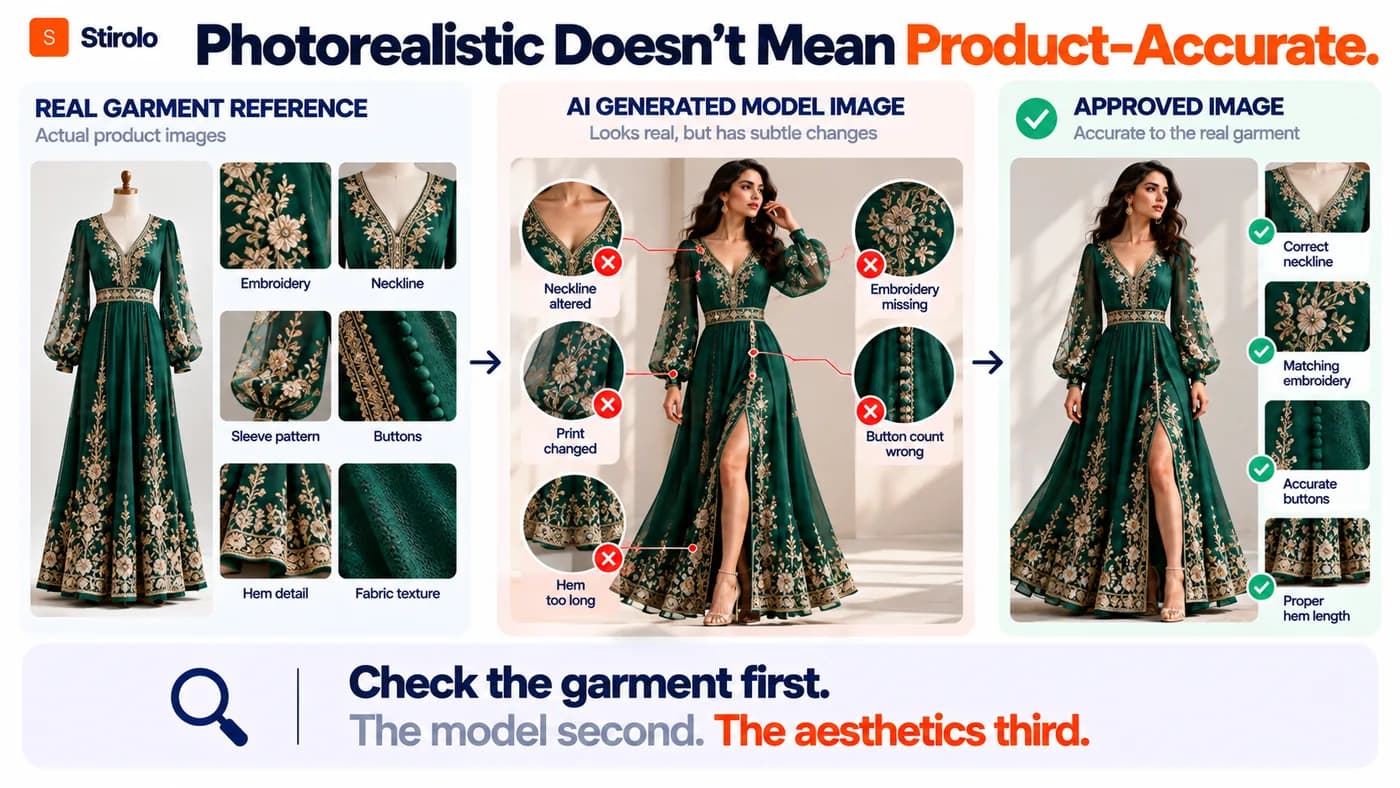
Garment fidelity means the generated clothing remains recognizably and materially faithful to the real item. Review color, print scale, logo position, neckline, sleeve length, collar construction, buttons, zippers, pockets, seams, hem, silhouette, fabric surface, and visible hardware. For patterned garments, check whether motifs repeat in the same places. For branded products, inspect letterforms because generative systems can deform small text.
Fit claims need similar care. An AI image can visualize how a garment might look on a body, but it does not replace the brand’s actual measurements, grading, size chart, or physical fit testing. Do not let a generated waist, sleeve, rise, or hem position become an implied sizing promise unless it reflects the real product.
Consistency Matters Across a Collection
A brand may need 6 images for one product and hundreds across a drop. Test whether the platform can repeat the same model identity, body proportions, lighting, background, pose family, and garment treatment. Consistency matters more at catalog scale because small variations become obvious when shoppers scroll through adjacent products.
Before batch production, record approved model references, backgrounds, crops, aspect ratios, poses, and color treatment. Keep a few human-approved examples as the benchmark for later generations.
Quick Check: Is the AI Image Ready to Publish?
| Check | Pass When | Reject When |
|---|---|---|
| Color | Matches approved product photography | Hue or contrast changes the perceived product |
| Construction | Neckline, seams, closures and pockets are correct | AI adds, removes or relocates details |
| Branding | Logo and typography remain accurate | Letters, marks or print placement deform |
| Fit | Silhouette is plausible and not presented as measured fit | Body or garment is warped to create an unrealistic fit |
| Series consistency | Model, lighting and crop match the approved set | Each SKU looks like a different production |
| Usage rights | Inputs, model likeness and output use are cleared | Rights or consent are uncertain |
Where Can Brands Use AI Virtual Photoshoot Images?
AI-generated fashion images can support product pages, category pages, marketplaces, lookbooks, email, social media, paid creative, concept testing, localized campaigns, and internal merchandising. The right use depends on how much factual product information the image is expected to communicate.
Product-detail-page imagery requires the strictest accuracy. Keep at least one clear view that communicates the real garment without distracting scenery. Use generated lifestyle images as additional context only after they pass product checks. Campaign and social images allow more creative interpretation, but the clothing should still remain faithful when the image is selling a specific SKU.
Concept work is lower risk. Teams can explore locations, casting, styling, and campaign moods before production. Generated concepts can also become visual briefs for photographers, making AI useful even when final campaigns use real people.
How Is an AI Virtual Photoshoot Different From Virtual Try-On?
An AI virtual photoshoot is primarily a content-production workflow for the brand. Virtual try-on is primarily a visualization workflow for the shopper or a selected person. The technologies can overlap, but their goals are different.
A photoshoot generator asks, “How can this garment be presented in our catalog or campaign?” Virtual try-on asks, “How might this garment appear on this body or selected model?” Google’s virtual try-on research illustrates the second problem: the system generates how apparel may drape and form folds on different bodies. That can improve visualization, but it is still not a substitute for physical fitting or exact size prediction.
Some platforms combine both functions. Brands should still evaluate them separately. A tool may create excellent campaign images but provide limited control for shopper try-on. Another may be strong at body-conditioned garment visualization but offer little art direction for a cohesive brand campaign.
What Input Photos Produce Better AI Fashion Images?
Use sharp, evenly lit, high-resolution product photos with the full garment visible and minimal obstruction. The system needs reliable visual evidence. Avoid crushed blacks, blown highlights, aggressive filters, folded areas that hide construction, and hands or props covering key details.
For a simple T-shirt, one strong front reference may be enough for an initial test. For a jacket, dress, patterned set, or embellished garment, add back and detail references. Photograph texture and hardware separately when those details affect purchase decisions. If exact color matters, keep your normal color-managed product photography process and compare generated exports against the approved reference on a calibrated display.
Organize source files by SKU, colorway, view, and version. High-volume generation is difficult to audit when an output cannot be traced to the correct real-product input.
When Should a Brand Still Use a Real Photoshoot?
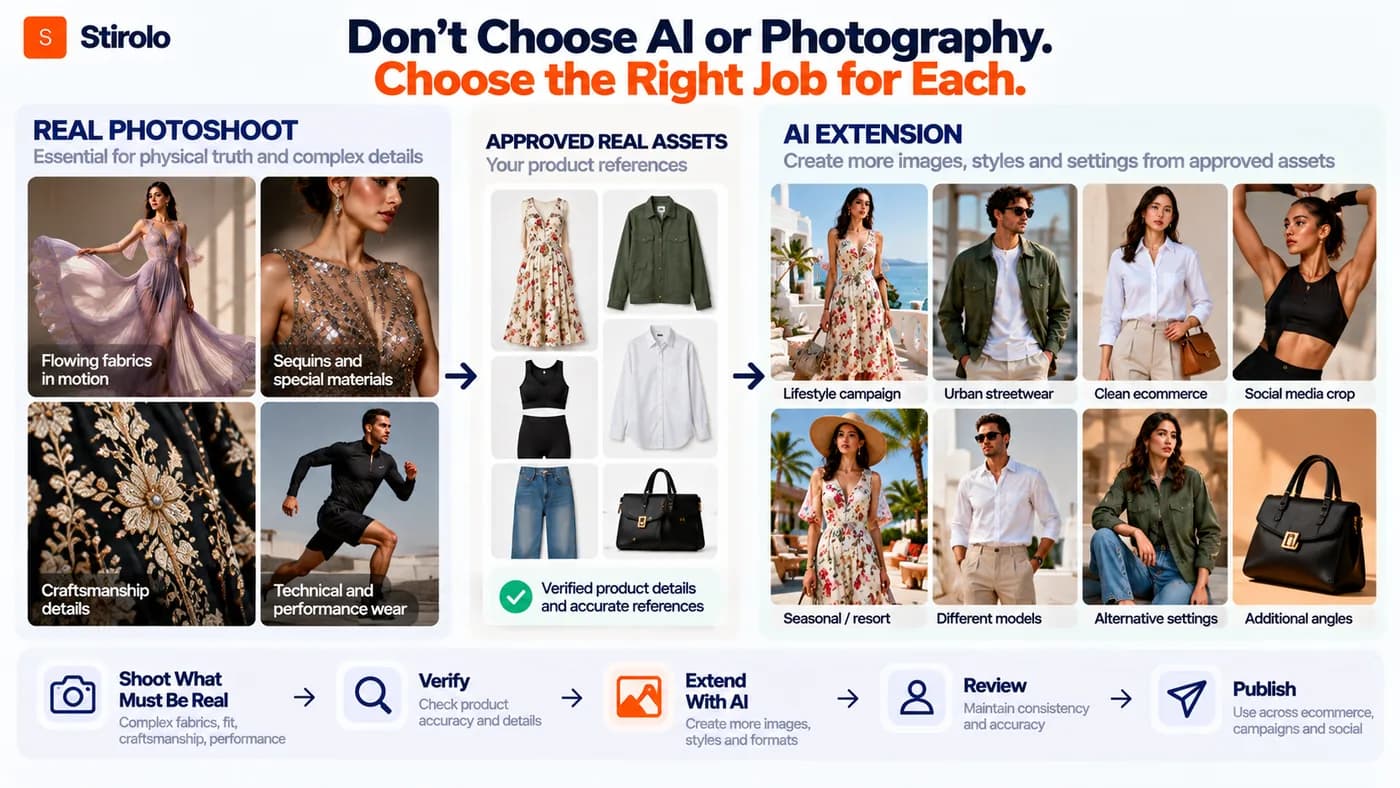
Use a real photoshoot when physical fit, fabric behavior, craftsmanship, human performance, or brand authenticity is central to the message and cannot be verified reliably in a generated image. AI should reduce unnecessary production work, not remove evidence customers need.
Real photography remains especially useful for complex tailoring, sheer or reflective fabrics, intricate embroidery, unusual layering, technical sportswear, accessories interacting with the body, and hero campaigns built around a recognizable person. It is also valuable when a brand wants genuine movement, tactile detail, behind-the-scenes storytelling, or a documented relationship with a model or creator.
A hybrid workflow is often stronger than an all-or-nothing decision. Shoot hero products and difficult garments physically. Use AI to extend approved imagery into extra backgrounds, crops, localized variants, long-tail SKU coverage, or early creative tests. The dividing line should be product truth and creative purpose, not novelty.
What Legal and Trust Issues Should Brands Consider?
Check commercial-use terms, ownership or licensing of source images, model consent, likeness rights, trademark use, and the rules that apply in the markets where the images will appear. AI image law and platform policies continue to develop, so a vendor’s “commercial use” label should not replace the brand’s own review.
The U.S. Copyright Office has separately examined copyrightability of generative AI outputs and the risks created by unauthorized digital replicas. Its work highlights two relevant issues for fashion teams: purely AI-generated material can raise authorship questions, and realistic digital depictions of identifiable people can create likeness concerns. Brands using a real model’s face or body as a reusable digital asset should obtain clear permission for that use.
Trust also matters beyond legal minimums. Do not present a generated image as proof of a feature the product does not have. If synthetic imagery could materially affect how a customer interprets an endorsement, person, fit, or product demonstration, review whether disclosure is appropriate under the relevant advertising rules and platform requirements.
How Do You Choose an AI Virtual Photoshoot Generator?
Choose an AI virtual photoshoot generator by testing it on your hardest real products, not on the vendor’s demo garments. A useful pilot includes a plain item, a patterned item, a dark or light colorway, a complex construction, and a product with visible branding. Run the same brief across several tools and compare the outputs side by side.
Score the systems on garment fidelity, model consistency, pose control, background control, batch workflow, editability, output resolution, generation speed, export formats, team collaboration, API or ecommerce integration, data handling, commercial terms, and cost per approved image. Cost per generation is less useful because a cheap output that fails review creates more work.
Also test correction speed. Production teams rarely need a system that succeeds perfectly on every first attempt. They need one that lets them fix a sleeve, logo, hand, background, or pose without destroying the accurate parts of the image. Strong editing controls can matter more than a large model library.
How Can AI Photoshoots Fit Into a Wider Fashion-Tech Workflow?
AI photoshoots are one layer of a larger digital fashion workflow. Brands create product assets, while shoppers increasingly expect personalized discovery, visualization, and styling. The same shift toward richer clothing data can support both sides of that experience.
For example, Stirolo’s AI styling features focus on the wearer rather than the brand photoshoot. The system combines wardrobe information, body context, outfit recommendations, and visualization. That is a different job from generating catalog photography, but both workflows depend on reliable representations of clothing.
The broader Stirolo workflow also shows why fashion imagery is becoming more functional. An image can help a customer understand a product, build an outfit, compare options, or visualize a look rather than simply decorate a page.
This connects with the company’s fashion technology approach: use AI to support better clothing decisions while keeping the real person and real wardrobe at the center. For brands, the equivalent principle is to keep the real garment at the center of every generated photoshoot.
FAQs About AI Virtual Photoshoot Generators for Clothing Brands
Can AI create model photos from a flat-lay clothing image?
Yes. Many fashion-specific AI tools can generate on-model images from flat lays, hanger shots, packshots, or ghost-mannequin images. Results vary by garment complexity and input quality, so brands should compare every output with the physical product.
Can AI replace fashion photography completely?
No. AI can replace or extend some routine product and campaign production, but real photography remains useful when exact fit, complex materials, human performance, craftsmanship, or authentic creator involvement is central to the image.
Are AI fashion model images accurate enough for ecommerce?
They can be, but accuracy must be verified image by image. Check color, construction, print, branding, silhouette, and fit cues against approved product references before using generated imagery on a product page.
What is the difference between an AI fashion model and a virtual try-on?
An AI fashion model tool usually creates brand-owned product or campaign imagery. Virtual try-on usually visualizes a garment on a chosen shopper or model to support purchase decisions. Some platforms provide both functions.
Should a clothing brand disclose that a model image is AI-generated?
Disclosure depends on the context, jurisdiction, platform, and what the image communicates. Brands should review applicable advertising rules and platform policies, especially when synthetic imagery could affect perceptions of a real person, endorsement, fit, or product performance.
Build a Faster Image Workflow Without Misrepresenting the Product
AI virtual photoshoot generators can give clothing brands more ways to create product and campaign imagery without repeating the full logistics of a studio shoot for every asset. The strongest workflow starts with accurate garment references, uses consistent creative controls, and ends with human review against the real product. Use AI where it expands useful content, keep physical photography where it provides evidence AI cannot, and judge every generated image by one simple standard: the customer should receive the clothing the image led them to expect.