
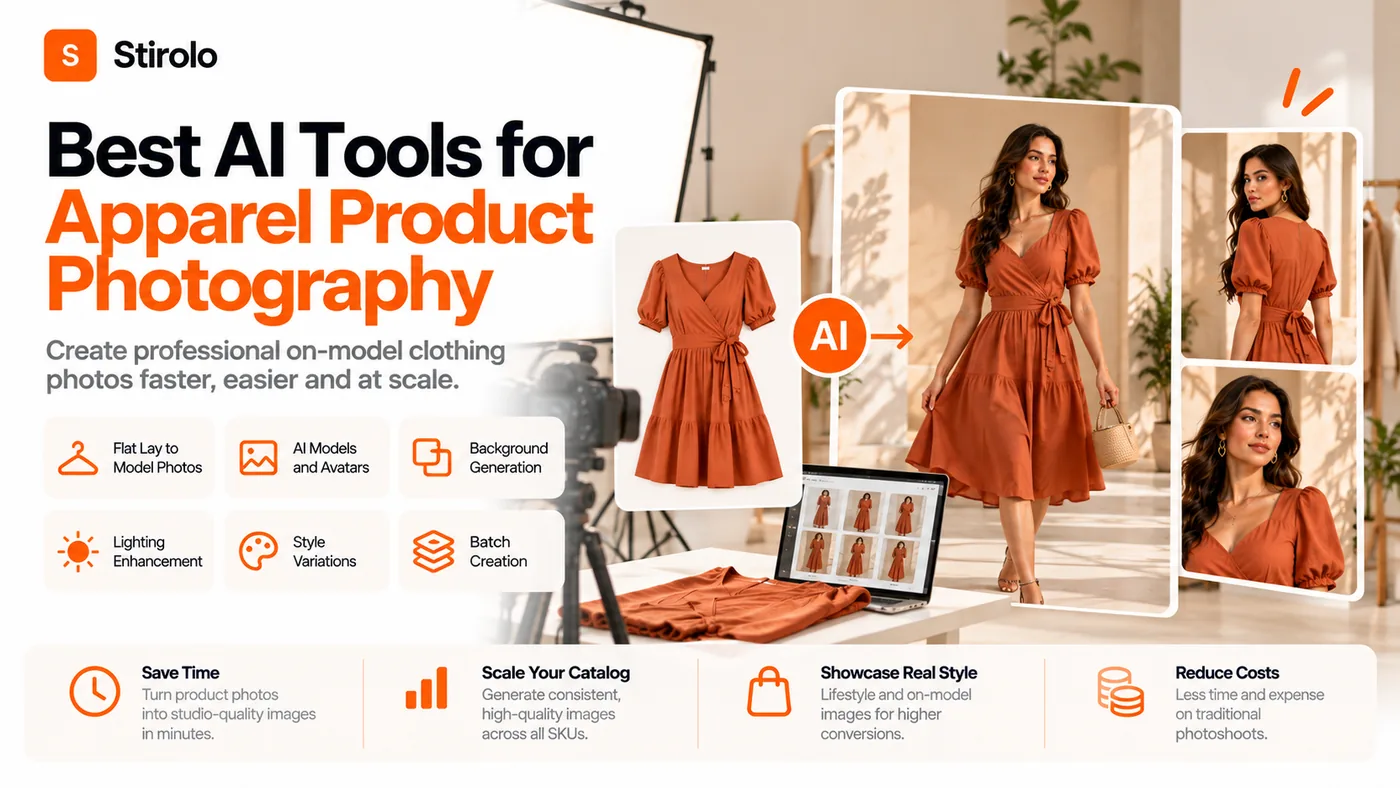
The best AI tools for apparel product photography are the ones that preserve the real garment while producing the exact image type your store needs. For most apparel teams, that means choosing different strengths for on-model photography, catalog cleanup, lifestyle scenes, background generation, and high-volume production instead of expecting one generator to do every job equally well.
Clothing is a difficult product category for generative AI. A bottle can stay rigid while its background changes, but a garment bends around a body, hides details, changes shape with pose, and contains prints, seams, hardware, labels, textures, and color relationships that shoppers expect to receive. A beautiful output that invents a pocket or shortens a hem is not a product photograph. It is a creative image of a different product.
What Should an AI Apparel Photography Tool Actually Do?
A useful apparel photography tool should start from a real product reference and keep the product identifiable across every approved output. It should also fit the production job. A tool designed for background replacement may be excellent for flat lays and weak at placing a dress on a model. A virtual model platform may create convincing on-body shots but offer less control over tabletop scenes or detailed retouching.
For ecommerce, judge software on 5 practical dimensions: garment fidelity, catalog consistency, creative control, production scale, and commercial terms. Garment fidelity comes first because every other benefit disappears if the generated image misrepresents what the customer will receive.
This is also why prompt-only image generators are usually poor primary tools for product detail page photography. They are good at inventing fashion concepts. Product photography has the opposite requirement: keep the product fixed and change the presentation around it.
Which AI Tools Are Worth Shortlisting for Apparel Product Photography?
There is no universal winner because the leading platforms solve different parts of the apparel image workflow. The shortlist below is best treated as a set of starting points to test with your own products, not a ranking based on vendor demos.
Photoroom for on-model images and catalog workflows
Photoroom is a strong shortlist candidate for ecommerce teams that need fashion models plus routine product-image editing. Its AI Fashion Models workflow accepts clothing source images, lets teams select model and background preferences, and can be used through an API for catalog-scale production. The broader editor also covers background removal, lighting, cropping, and reusable brand presentation. That combination is useful when a team wants one operational workspace rather than a model-only generator.
Adobe Firefly for backgrounds, scenes, and controlled editing
Adobe Firefly fits a different job. Its product-shot and generative editing tools are useful for creating or replacing backgrounds, changing lighting and mood, building lifestyle contexts, and extending existing images. Apparel teams already working in Adobe software may value the editing workflow more than a dedicated virtual-model system. For core garment-on-model generation, test a fashion-specific platform alongside it rather than assuming a general product-shot tool will preserve every clothing detail.
Fashion-specific virtual model platforms for flat lay to model
Platforms such as Botika, FASHN, Uwear, WearView, Modelia, and other fashion-focused systems are worth testing when the main task is turning flat lays, ghost mannequins, or existing product shots into on-model images. Their advertised strengths differ across reusable models, batch processing, application programming interface access, video, pose control, and catalog automation. Because many comparison articles in this category are written by vendors, verify claims with the same test garments rather than adopting a published leaderboard.
Specialist ghost mannequin and catalog tools
If your store relies on clean invisible-mannequin imagery, prioritize tools that explicitly support ghost mannequin output or product-preserving catalog transformation. A platform that excels at editorial model images can still be the wrong choice for a store whose primary requirement is repeatable front, back, and detail views on a neutral background.
How Do the Main AI Apparel Photography Tool Types Compare?
The right category depends on the image you are trying to produce. This quick reference separates the main jobs before you compare individual subscriptions.
| Tool type | Best use | Main strength | Main risk to test |
|---|---|---|---|
| AI fashion model generator | On-model PDP and catalog images | Turns garment references into model photography | Print, cut, drape, and model consistency |
| Background and scene generator | Lifestyle and campaign variants | Changes environment without a new location shoot | Product edges, shadows, color, and invented details |
| Ghost mannequin tool | Clean ecommerce packshots | Creates body shape without a visible model | Neck, sleeve, interior, and back construction |
| General AI photo editor | Retouching and image cleanup | Flexible edits, expansion, and object removal | Accidental changes to the garment |
| Batch catalog platform | Large SKU libraries | Templates, automation, API, bulk export | Failure review and SKU-to-image matching |
How Should You Test AI Apparel Photography Software?
To test AI apparel photography software, run the same small set of difficult garments through every candidate and score only the outputs you would actually publish. Do not compare a vendor sample from one tool with your own difficult SKU in another.
Use your hardest garments, not your easiest T-shirt
Build a pilot with 5 to 10 products that expose common failure modes. Include a garment with printed text or a logo, a black item with subtle construction, a knit or textured fabric, a product with hardware or unusual closures, and an item with important back or side details. Add sheer, patterned, asymmetric, or layered products if those categories matter to your store.
Compare the generated image with the source at detail level
Check color, print placement, spelling, logos, neckline, sleeve length, hem, pockets, buttons, zippers, stitching, texture, silhouette, and visible construction. Zoom in. If the software makes a small creative correction that changes the product, reject the image even when the model and lighting look excellent.
Measure approved-image cost instead of generation cost
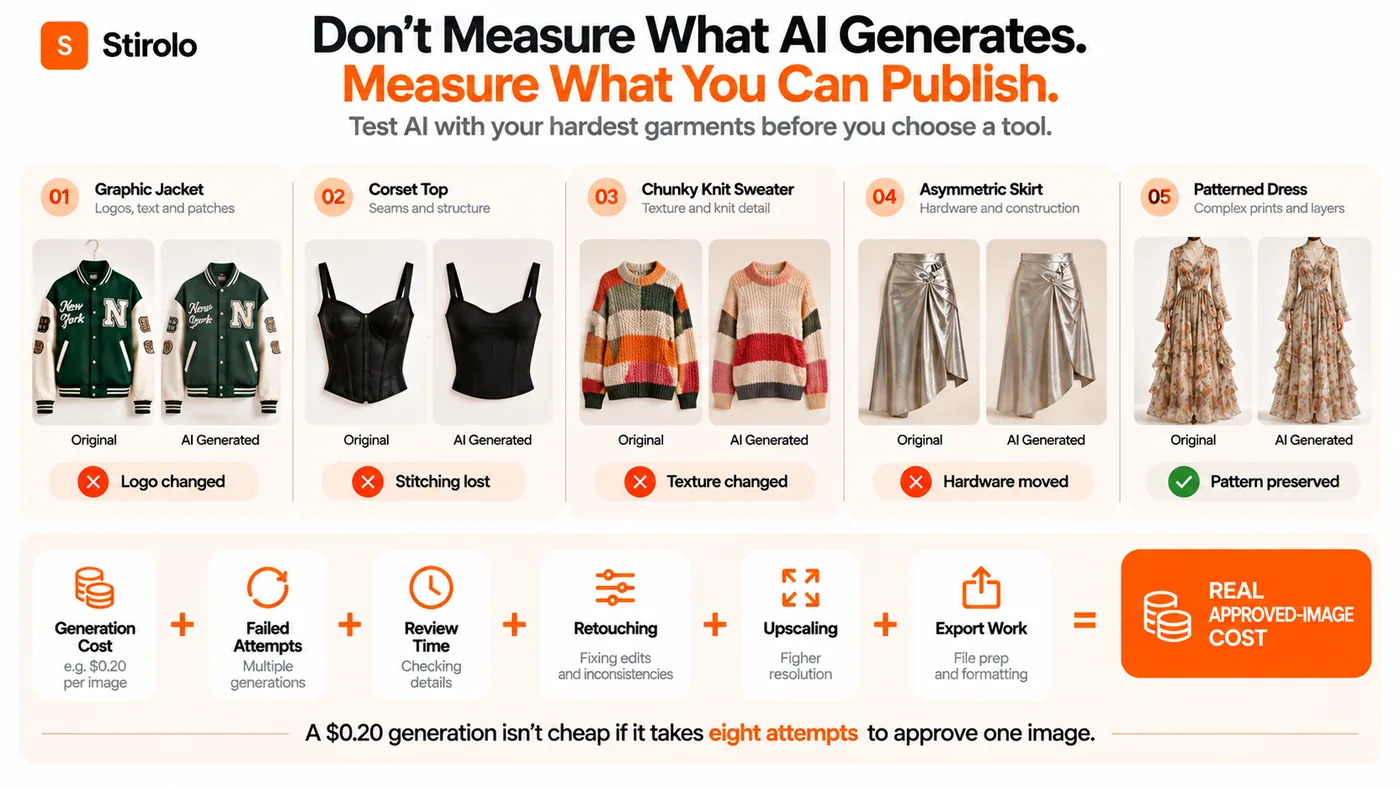
A cheap generation is expensive if your team needs 8 attempts and manual retouching to approve one image. Track credits used, failed generations, review time, correction time, upscaling, and final export work. Divide that total by the number of publishable images. That figure is more useful than the advertised price per generation.
Which AI Tool Is Best for Product Detail Pages?
For product detail pages, choose the tool that produces the most faithful and repeatable representation of the garment, even if another platform creates more dramatic images. PDP photography has an evidentiary job: it helps a shopper understand what is being sold. Creative novelty belongs after accuracy.
A strong PDP set usually combines a clean front view, back or alternate view when relevant, detail images, and an on-model view that helps communicate proportion and drape. AI can help create or standardize parts of that set, but source photography should capture details the model cannot safely infer. If a back panel, interior label, fastening, or trim is not visible in the source, do not assume the generator knows it.
The same principle applies beyond retail catalogs. Stirolo uses wardrobe images as structured inputs for its AI wardrobe features, showing why accurate clothing representation matters whenever software needs to reason about real garments rather than generic fashion concepts.
Which AI Tools Work Best for On-Model Fashion Photography?
Fashion-specific virtual model tools are the logical first category to test for on-model photography. They are built around a garment reference, model selection, pose or scene controls, and outputs intended to resemble a photoshoot. General image generators can create attractive people in clothing, but that is not the same as preserving a sellable SKU.
Model consistency matters almost as much as garment consistency when you are building a catalog. Test whether the same model identity, apparent age, body proportions, hair, lighting, crop, and pose language can persist across multiple products. A collection made from individually convincing images can still look disjointed if every SKU appears to come from a different brand shoot.
Body diversity is another selection factor. The goal is not simply to generate more faces. The tool should let the brand represent the customers it serves without making the clothing itself less accurate. If changing body type repeatedly changes garment length, print scale, or construction, the system needs more review before catalog use.
Which Tools Are Better for Lifestyle and Campaign Images?
Background and scene generation tools are often more useful than virtual model tools when you already have approved product or model photography and want more creative contexts. Adobe Firefly, for example, supports product-shot generation and generative editing around uploaded images, with controls for background, lighting, mood, angle, and composition.
Lifestyle images can tolerate more creative interpretation in the environment than PDP images can tolerate in the product. You can change the room, street, beach, studio color, props, or time of day. The garment should still pass the same accuracy check. This separation lets a brand create many campaign variants without turning the product itself into generated decoration.
AI can also support personal visualization rather than merchant photography. Stirolo explains how AI styling works around a person's wardrobe, body, taste, occasion, and environment. That consumer use case is different from ecommerce photography, but both depend on keeping the underlying clothing information grounded.
How Do You Keep an AI-Generated Apparel Catalog Consistent?
Catalog consistency comes from locking production rules before generating hundreds of images. Define the crop, aspect ratio, background, lighting direction, model set, pose family, camera height, whitespace, export size, and retouching threshold. Save reusable templates or recipes when the platform supports them.
Generate in controlled batches rather than approving isolated hero images. Review 10 or 20 adjacent SKUs together. Inconsistencies in model scale, headroom, shadow density, white balance, or product position are easier to see as a grid than one image at a time.
Keep the original product photos connected to each SKU throughout the workflow. Reviewers should be able to compare the generated output with the source without searching another folder. At larger scale, an API or batch system is valuable only if failed images can be routed to human review instead of being published automatically.
When Should Apparel Brands Keep Real Photography?
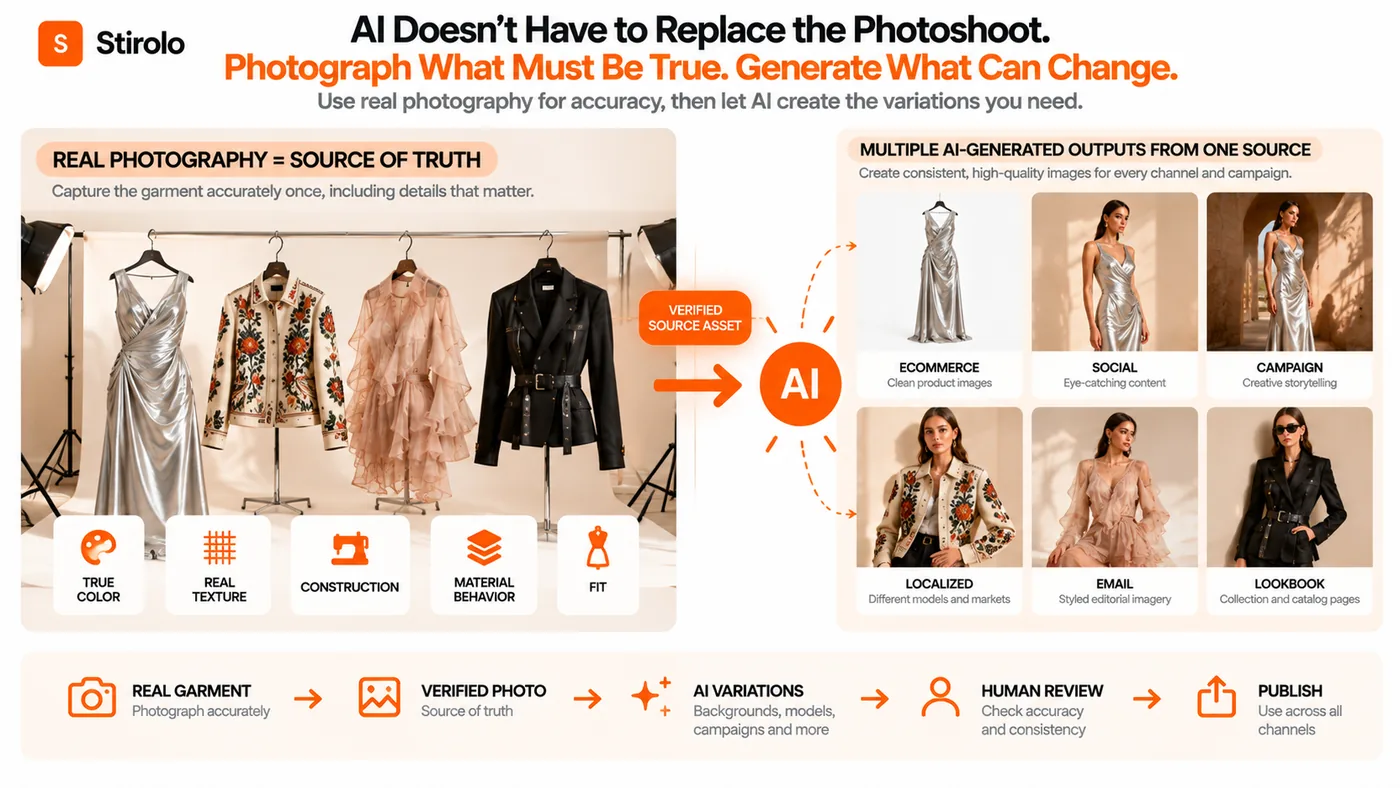
Keep real photography when the physical behavior of the garment is central to the purchase decision or when AI repeatedly changes details. Highly structured tailoring, unusual textiles, reflective materials, transparency, complex layering, intricate embellishment, specialty hardware, and fit-sensitive products may justify a real shoot or a hybrid workflow.
Real photography is also useful as the source of truth for color, construction, texture, and fit. AI does not have to replace the studio to create value. A brand can photograph each product accurately once, then use AI for background variants, additional campaign contexts, selected model imagery, localization, crops, and channel-specific creative.
For style-led content, accurate product images can also support editorial education and practical style guides without asking generated imagery to carry information the source garment never provided.
What Should You Check Before Paying for an AI Photography Tool?
Run a pilot before committing a full catalog. Confirm which input types are supported, maximum resolution, batch limits, model reuse, pose control, background control, export formats, API access, team permissions, and correction workflow. Ask whether uploaded product images are used for model training and read the current terms for output ownership and commercial use.
Check whether the tool fits your publishing channels. Marketplace hero images can have stricter presentation requirements than social ads. Your own storefront may allow creative lifestyle photography while a marketplace requires neutral backgrounds or specific crops. Build channel rules into the workflow instead of generating first and fixing everything later.
Finally, test support quality with a real failure. A tool may look efficient until a high-value SKU produces distorted text or a wrong closure. The useful question is not whether AI sometimes fails. It is whether your team can identify, correct, regenerate, or escalate failures without breaking the launch schedule.
FAQs
Can AI replace apparel product photography completely?
No. AI can replace or extend many repeatable image tasks, but real photography remains useful for source-of-truth details, difficult materials, fit-sensitive garments, and products that fail fidelity checks.
What is the best AI tool for clothing product photos?
There is no single best tool for every apparel workflow. Test fashion-specific model tools for on-model imagery, product editors for cleanup, and scene generators for lifestyle variants using the same garments.
Can AI turn a flat lay into a model photo?
Yes. Several fashion-specific platforms accept flat lays or other garment references and generate on-model imagery. The output still needs human review for cut, print, color, texture, and construction accuracy.
Are AI product photos safe for ecommerce listings?
They can be, if the image accurately represents the sold product and complies with the store or marketplace rules. Review commercial rights, disclosure requirements, and channel-specific image policies before publishing.
How do I compare AI apparel photography tools fairly?
Use the same 5 to 10 difficult SKUs, request the same image types, count failed attempts, and compare approved-image cost. Score garment fidelity before realism or creative style.
Choose the Tool for the Image Job, Not the Demo
The best AI tools for apparel product photography are not the platforms with the most impressive single demo. They are the tools that repeatedly produce the images your catalog needs while keeping the garment honest. Start by separating PDP photography, on-model imagery, ghost mannequin work, lifestyle scenes, and batch editing into distinct jobs. Test each candidate on difficult real products, calculate the cost of approved images, and keep human review between generation and publication. That approach gives AI a useful role in apparel production without asking shoppers to trust an image of a product that does not actually exist.