
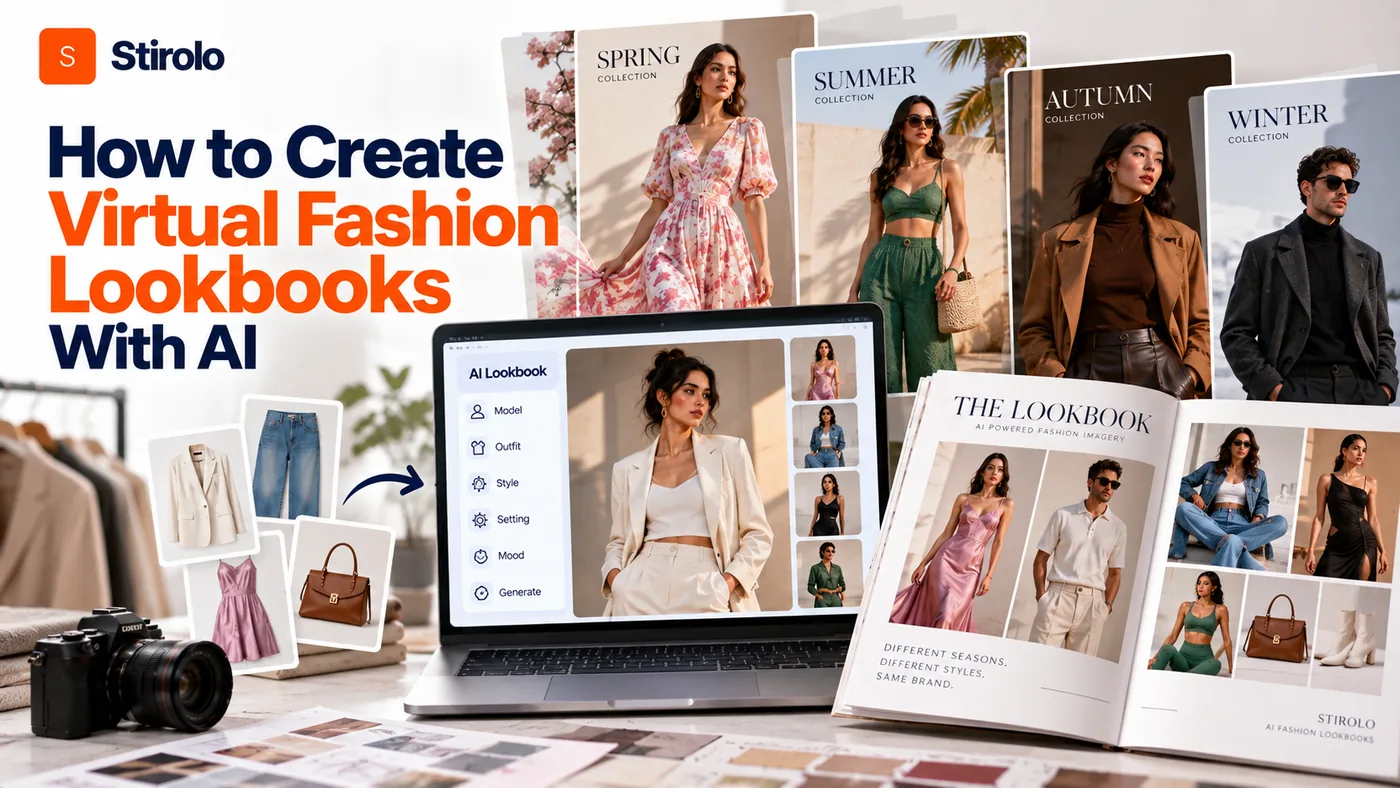
To create virtual fashion lookbooks with AI, start with a collection brief, clean garment references, a fixed model and a locked visual direction before you generate the first final image. Then create each look inside the same visual system, compare every output with the real garment, sequence the approved images like an editorial story, and export the finished lookbook for its intended channel.
The difficult part is not generating a fashionable image. The difficult part is making 10, 20 or 30 images feel as though they belong to the same collection while the clothes remain recognizable. AI can change faces, proportions, prints, hemlines, buttons, backgrounds and lighting between generations. A usable lookbook therefore needs more control than a single prompt.
This workflow is useful for fashion brands, independent designers, ecommerce teams, stylists and creators who want to test a collection story before committing to a full production. It can also support digital-first launches where the lookbook itself is designed for web, social, buyer presentations or motion content.
What Makes an AI Fashion Lookbook Different From Random AI Images?
A fashion lookbook is a sequenced collection story, not a folder of unrelated model images. The model, palette, lighting, styling logic, framing and mood should feel connected even when the garments and poses change.
A catalog answers product questions. It usually prioritizes clear views, repeatable angles and easy comparison. A lookbook adds interpretation. It shows how pieces live together, what kind of person might wear them, and what visual world the collection belongs to. That means an AI lookbook still needs art direction even when generation becomes faster.
Virtual try-on is also different. Try-on asks how a particular garment might appear on a person or body representation. A lookbook asks whether a series of complete looks creates one persuasive visual narrative. Digital fashion is broader again because the garment itself may be virtual and may not correspond to a physical product.
How to Plan a Virtual Fashion Lookbook Before Generating Images
To plan a virtual fashion lookbook, define the collection story, audience, destination, visual rules and shot list before opening the image generator. This reduces random prompting and gives every generation a specific job.
Write a one-page creative brief
State the season or drop, customer, mood, setting and purpose in plain language. A resort collection may need bright exterior light and relaxed movement. A tailored workwear capsule may need architectural interiors, restrained poses and cleaner framing. The brief should also say where the lookbook will appear because a mobile campaign needs different crops from a printable buyer deck.
Build a shot list before the first render
Assign each image a role. A simple 12-image lookbook might include 2 opening statement images, 5 full-look frames, 2 side or back views, 2 detail crops and 1 closing image. The exact number can change, but deciding the rhythm first stops the generator from producing 20 nearly identical front-facing poses.
Lock the visual rules
Choose the model or cast, lens feel, camera height, aspect ratio, palette, light direction, backdrop family and retouching level. Record these choices in a short style sheet. If a tool supports reusable references, seeds, character locks or style references, save them now. Consistency is easier to preserve than to repair after generation.
How to Prepare Garment Assets for an AI Lookbook
To prepare garment assets, give the AI clean reference images that make construction, color, print and silhouette easy to read. Weak source photography creates ambiguity that the model may fill with invented details.
Photograph each physical piece against a simple background with even light. Keep the entire garment visible. Add a second image when the back, texture, closure or print placement matters. For a jacket, that may mean a front reference plus a back reference and one close crop of the lapel or hardware. For a patterned dress, include enough resolution to judge the motif after generation.
Organize the assets by SKU or look number before uploading them. Record the non-negotiable details for each piece: exact color family, logo location, neckline, sleeve length, hem, pocket count, closures, pattern scale and intended fit. These notes become your quality checklist later.
The same principle appears in wardrobe-based styling systems. A digital styling workflow becomes more useful when the system has structured information about the actual clothes rather than a vague description. Stirolo, for example, begins by cataloging real wardrobe items before it creates recommendations. See how Stirolo works for an example of a clothing-first AI workflow.
How to Keep the Same Model and Visual Identity Across the Lookbook
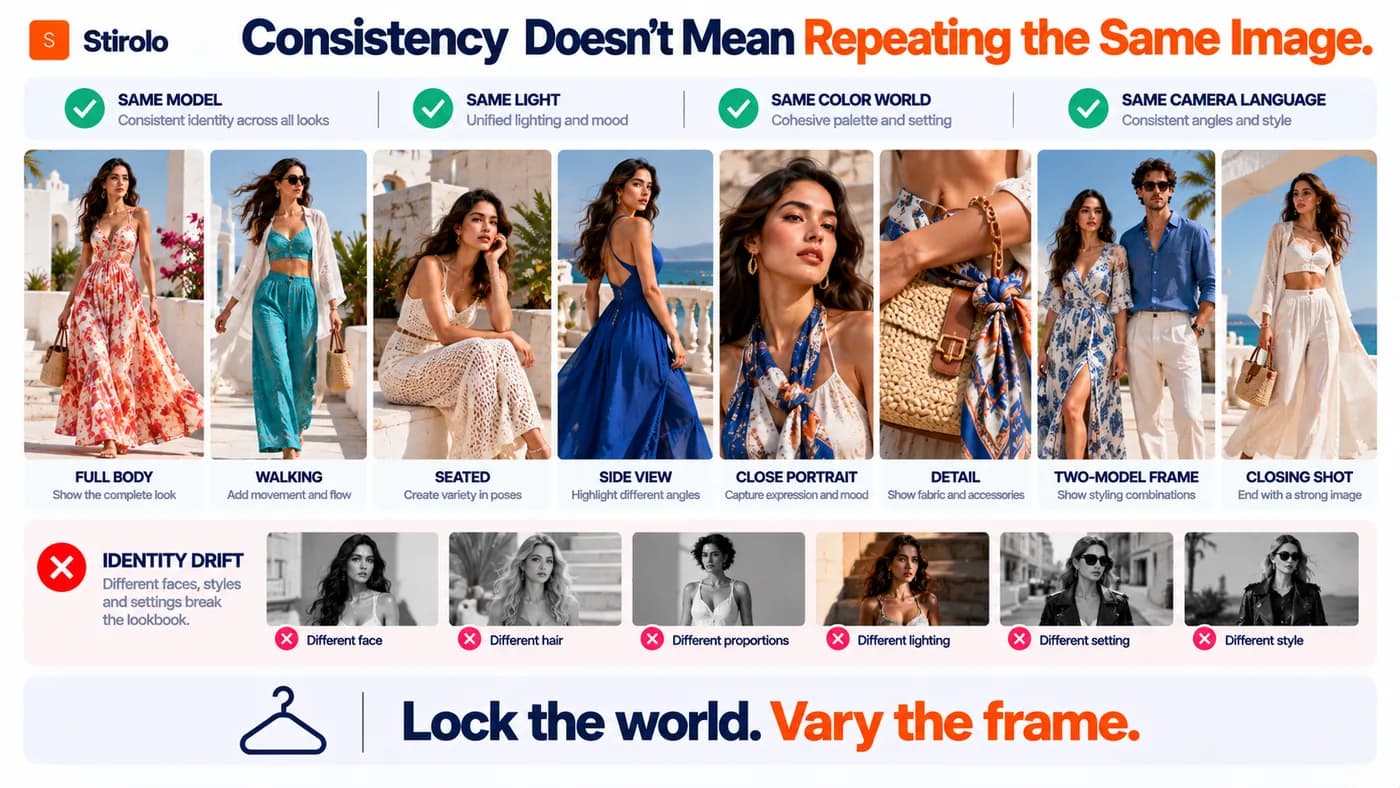
To keep a lookbook consistent, reuse the same model reference and the same art-direction variables across every approved image. Do not rewrite the visual concept from scratch for each garment.
Identity drift is one of the fastest ways to make an AI lookbook feel synthetic. Hair length changes, facial structure shifts, body proportions move, or the model appears to age between pages. Use a platform that supports persistent characters or model references when consistency matters. Generate a small test set with 3 different garments before committing the entire collection.
Visual identity needs the same discipline. Keep a stable background family, contrast level, light direction and camera language. Variation should happen inside that framework. You can alternate full-body, walking, seated and detail images while preserving the same world.
If the project is personal rather than commercial, body-aware visualization can serve a different purpose: previewing combinations on the wearer rather than building a campaign model. Stirolo’s outfit visualization features show how AI visualization can be grounded in a person, wardrobe and styling context instead of producing a generic fashion image.
How to Generate the Lookbook Without Losing Garment Accuracy
To generate a reliable AI lookbook, treat garment fidelity as a publishing requirement, not a cosmetic preference. An image can look beautiful and still be wrong if the product no longer matches what a customer can buy.
Generate several candidates for each planned frame, then compare them against the source garment at full size. Reject images that change the silhouette, pattern, branding or construction. Small errors become more serious when the image is used in ecommerce, wholesale or paid advertising because the visual can shape purchase expectations.
| Check | What to compare before approval |
|---|---|
| Color | Hue, saturation and contrast against the real garment |
| Construction | Neckline, sleeves, hem, seams, pockets, buttons and closures |
| Pattern | Scale, direction, placement and repetition of prints or embroidery |
| Brand details | Logos, labels, hardware and signature motifs |
| Fit | Intended looseness, length, drape and proportion on the model |
| Continuity | Model identity, lighting, scene, crop and retouching across adjacent images |
Use editing or inpainting for local corrections only when the corrected result can still be checked against the product. If a sleeve keeps changing or a complex print cannot survive generation, replace that frame with a real photograph or simplify the composition. The goal is a trustworthy lookbook, not maximum AI usage.
How to Turn AI Images Into a Cohesive Lookbook Sequence
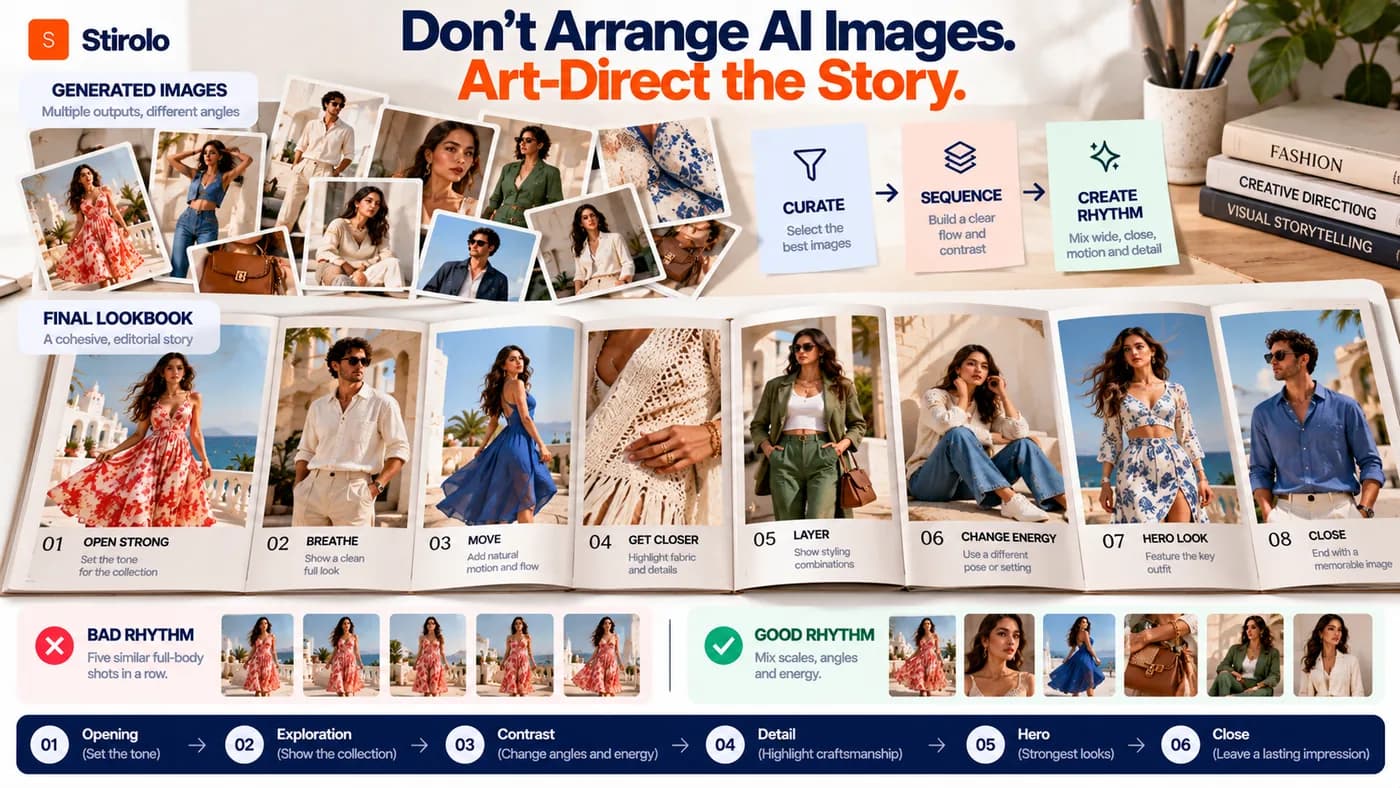
To turn approved AI images into a lookbook, sequence them for pace and contrast instead of arranging them in generation order. The viewer should feel progression from opening statement to product exploration to a deliberate close.
Start with one of the strongest images, not necessarily Look 1. Follow it with enough visual change to maintain attention. Alternate wide and tight crops, static and moving poses, simple and layered looks, or quiet and high-energy frames. Avoid placing 5 similar full-body shots in a row simply because they were generated from the same template.
Keep typography secondary to the clothes. Use one or two type styles, stable margins and a repeatable caption system for look numbers, garment names or collection notes. A wholesale version may need SKU information and clearer product labeling. A consumer campaign can use less text and more visual breathing room.
Styling logic should remain coherent too. If you need a framework for color, fit, capsule thinking or occasion dressing while planning combinations, the Stirolo style guides provide practical principles that can help you judge whether individual outfits make sense before they become lookbook frames.
How to Add Motion or Interactive Elements to a Virtual Lookbook
To add motion, animate only approved stills or generate short clips from the same locked model and visual references. Motion should extend the lookbook system rather than introduce a second, unrelated aesthetic.
Short walking loops, fabric movement, camera pushes and pose transitions can turn still lookbook assets into social clips or landing-page media. Keep clips brief enough that garment errors are easy to inspect. Motion models can invent folds, accessories, hands or construction details from frame to frame, so review the full clip rather than approving a good-looking thumbnail.
Interactive formats can also connect looks to product pages, allow users to switch colorways, or pair editorial imagery with virtual try-on. Keep the functions distinct. The lookbook communicates the collection story; try-on helps a shopper imagine a product on a person; product pages provide the factual buying information.
What Should You Check Before Publishing an AI Fashion Lookbook?
Before publishing, check product accuracy, visual continuity, image rights, model or likeness permissions, output resolution and channel requirements. Do this as a formal final gate rather than an informal glance at the exported PDF.
First, compare every garment with the source asset again. Then review the whole lookbook as thumbnails to catch identity drift, inconsistent backgrounds and abrupt changes in color grading. Open the final files at full resolution to inspect hands, jewelry, edges, logos, fabric and text. Export separate crops for print, web and social instead of forcing one aspect ratio everywhere.
Also read the AI platform’s current commercial-use terms. Confirm what rights you receive, whether uploaded assets can be used for model training, and whether restrictions apply to generated people or third-party references. Keep records of source photography, brand assets, human edits and tool settings for important commercial projects.
Copyright treatment can depend on jurisdiction and the amount of human authorship involved. The U.S. Copyright Office states that AI-assisted work can still contain protectable human authorship, while purely AI-generated material raises different copyrightability questions. Brands publishing internationally should obtain legal advice when rights ownership, recognizable likenesses or licensed creative material are material to the campaign.
When Should You Use a Real Photoshoot Instead?
Use a real photoshoot when physical truth, tactile detail or a specific human performance is central to the campaign and AI cannot reproduce it reliably. AI is a production option, not a requirement for every collection.
Real photography remains valuable for complicated fabrics, transparent layers, unusual construction, reflective materials, intricate accessories and products where fit must be documented precisely. It also makes sense when a known model, location, photographer or physical set is part of the brand story.
A hybrid workflow is often stronger than an all-or-nothing choice. Shoot hero images and technically difficult products in real life, then use AI for concept testing, alternate backgrounds, supporting editorial frames or channel-specific variations. The right split depends on how much visual invention the product can tolerate without becoming misleading.
FAQs About Creating Virtual Fashion Lookbooks With AI
Can AI create a complete fashion lookbook from product photos?
Yes. AI tools can turn garment references into on-model imagery and help maintain a shared model, scene and visual direction across a collection. Human review is still needed to verify garment details and sequence the final story.
Do I need professional garment photography first?
No, but clean source images improve control. Use even lighting, a simple background and enough resolution to see construction, color, print and texture. Add extra angles for details the front image does not show.
How do I keep the same AI model across every look?
Use a tool with persistent model, character or reference-image controls. Lock the model before generating the full collection and test several garments first to check face, hair and body consistency.
Is an AI lookbook the same as virtual try-on?
No. A lookbook is a curated visual story for a collection. Virtual try-on focuses on visualizing a specific garment on a person or body representation. The two can support each other but solve different problems.
Can I use AI lookbook images commercially?
It depends on the platform terms, source assets and applicable law. Review commercial-use rights, upload policies, likeness issues and copyright considerations before publishing or licensing the images.
Build the Lookbook as a System, Not a Stack of Images
A strong AI fashion lookbook comes from controlled repetition: the same collection logic, model identity, garment standards and visual rules carried from the first frame to the last. Plan before generating, approve garments before sequencing, and judge the final set as one story rather than a group of individually attractive images. AI can reduce production friction and expand the number of concepts you can test, but art direction and product truth still determine whether the result feels credible. Build those controls into the workflow first, and the technology becomes much more useful.