
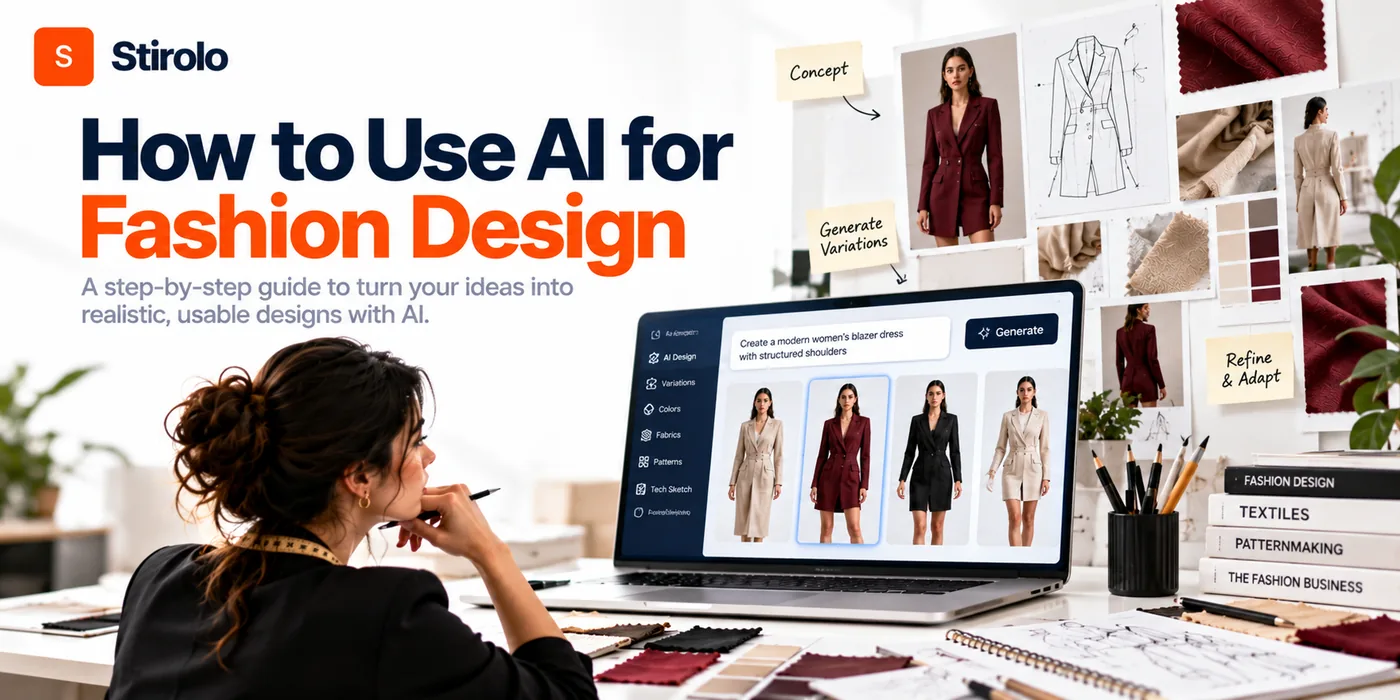
You can use AI for fashion design to research directions, build moodboards, generate silhouettes, test prints and colorways, visualize styling, and present collections faster. The strongest process treats AI as a rapid option generator while the designer controls taste, construction, fit, materials, and final approval.
That distinction matters because a convincing image is not automatically a workable garment. Fashion design connects creative direction to physical decisions about fabric, proportion, movement, construction, sizing, cost, and production. AI can accelerate several stages, but each output needs the right checkpoint before it moves forward.
What Does AI Actually Do in Fashion Design?
AI fashion design tools analyze prompts, images, sketches, references, and other inputs to generate or modify visual ideas. Generative AI can create new images, while computer vision can interpret existing images and identify visual features. Fashion-specific systems may also connect those capabilities to garment rendering, textile visualization, range planning, or product documentation.
The practical value is speed during exploration. A designer can compare more silhouettes, palettes, surface treatments, and styling directions before committing time to detailed development. McKinsey has described generative AI in fashion as an augmentation tool that can accelerate creative work, including turning sketches, moodboards, and descriptions into higher-fidelity concepts.
AI works best when the task has clear boundaries. “Design a cool jacket” leaves too much open. A brief that defines customer, category, silhouette, fabric family, price position, season, color story, and non-negotiable details gives the system a narrower design problem.
How to Use AI for Fashion Design From Brief to Collection
To use AI for fashion design from brief to collection, define the design problem first, generate multiple controlled directions, curate the strongest ideas, refine individual variables, and validate every selected concept before technical development. The designer should decide what the model explores and what qualifies to move forward.
How to Build a Clear Creative Brief for AI
To build a clear creative brief for AI, write down the target wearer, occasion, season, category, intended price level, silhouette direction, material family, palette, and collection mood. Add constraints that protect the concept from drifting into visually impressive but irrelevant territory.
A useful brief might specify a lightweight city travel collection for warm weather, aimed at professionals who need pieces that layer and pack easily. The brief could restrict the palette to 5 colors, favor linen blends and fine knits, and require every top to work with at least 2 bottoms.
The same principle applies when you start from a sketch. Tell the system which lines, proportions, closures, and details must remain unchanged. Treat references as evidence of the intended direction, not permission to copy another designer.
How to Write Fashion Design Prompts That Produce Useful Options
To write useful fashion design prompts, describe the garment in design variables rather than relying on aesthetic adjectives alone. Include garment type, silhouette, length, volume, neckline, sleeve, closure, material, surface treatment, palette, styling context, and desired view.
For example, request a relaxed cropped utility jacket with a dropped shoulder, concealed front zip, 2 patch pockets, matte cotton twill, muted olive, minimal hardware, and a clean front-view fashion render. A controlled prompt makes comparison easier because the model has fewer undefined choices.
Change 1 or 2 variables at a time during refinement. If you change silhouette, fabric, palette, trim, and styling simultaneously, you cannot tell which change improved the design. Controlled iteration also reduces the random drift that makes AI-generated collections look inconsistent.
How to Curate AI Outputs Instead of Accepting the First Result
To curate AI outputs, judge each concept against the original brief before judging the image quality. Remove options that miss the customer, category, collection language, material logic, or commercial purpose even when the render looks attractive.
Shortlist a small group and write the reason each concept survives. One may have the strongest proportion. Another may solve the color story. A third may introduce a useful construction detail. Those reasons become instructions for the next generation instead of leaving the model to guess.
Keep rejected directions too. A simple record of prompts, references, outputs, and rejection reasons prevents the team from repeating dead ends and creates a clearer decision trail for creative reviews.
How Can AI Help With Moodboards and Collection Direction?
AI can expand moodboards, cluster visual references, explore aesthetic directions, and turn a written collection idea into multiple visual territories. The designer should still curate the board because collection direction depends on meaning, timing, customer relevance, and brand identity rather than visual similarity alone.
Start with your own research: cultural references, photography, materials, architecture, objects, archival garments, customer observations, and color studies. Use AI to explore relationships between those inputs or visualize directions that are difficult to sketch quickly. Then remove images that add novelty without strengthening the collection idea.
A good moodboard should create design decisions. It should tell you something about proportion, texture, color, rhythm, styling, or material. If a board only creates atmosphere, the next design stage still has to invent the rules.
Collection coherence improves when you convert the board into a small design vocabulary. Define recurring shapes, 3 to 5 core colors, material families, key details, and a few styling rules. Feed those constraints into later generations so each look belongs to the same collection.
How Can AI Generate Silhouettes, Prints, Colorways, and Details?
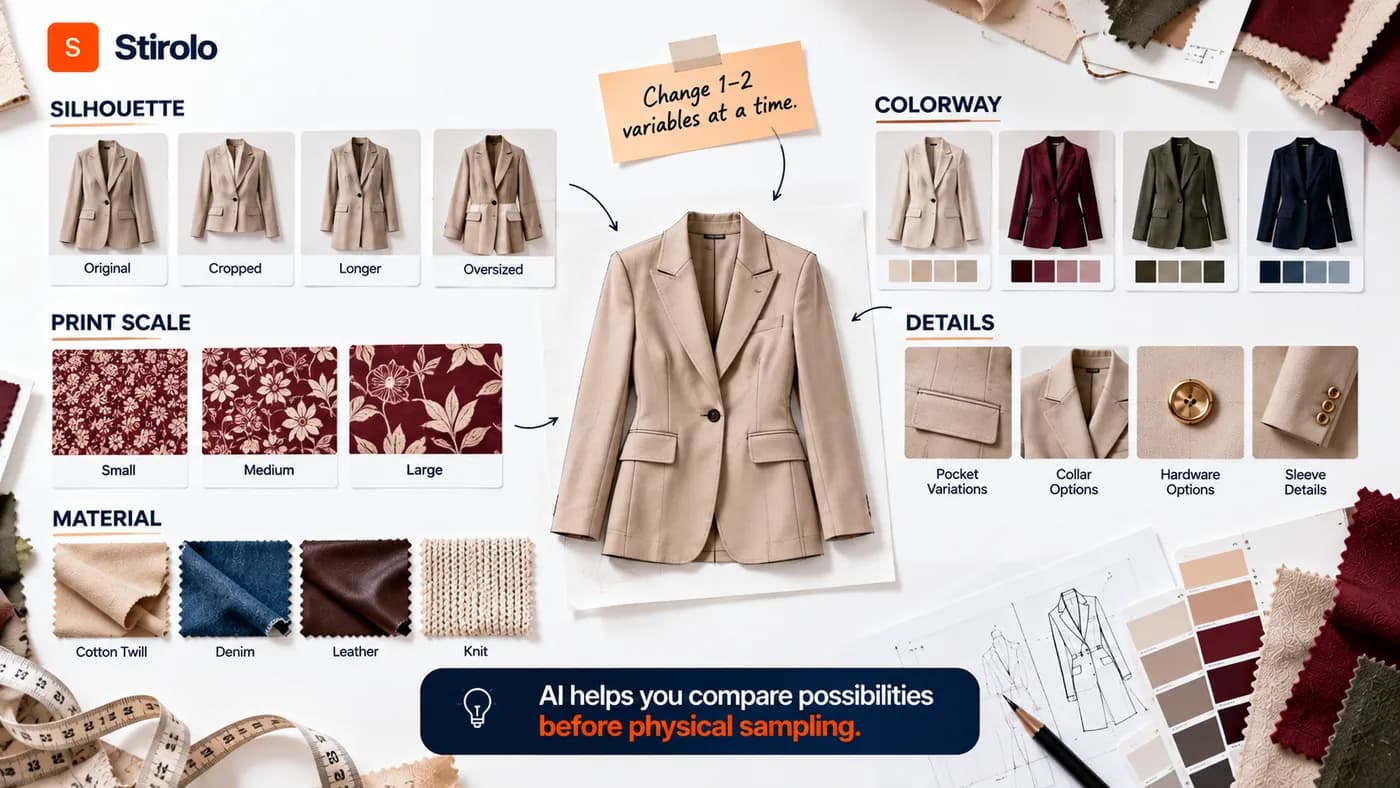
AI can generate controlled variations of silhouettes, prints, colorways, trims, hardware, and garment details before you invest in physical sampling. Variation works best after the core design direction is stable.
For silhouettes, compare proportion before surface detail. Ask for consistent front views and keep the fabric family stable while testing length, volume, waist position, shoulder shape, or hem treatment. A beautiful fabric render can hide a weak silhouette, so separate those decisions.
For colorways, use a fixed garment and change only the palette. Check whether the collection still balances light, dark, neutral, and accent colors. For prints, test scale and placement on the intended garment rather than approving a flat artwork alone. A motif that works on a screen may become unreadable after cutting, seaming, gathering, or pleating.
Material visualization needs similar caution. AI can suggest how silk, denim, leather, knit, or organza might read visually, but the image does not prove actual drape, recovery, weight, opacity, abrasion, shrinkage, or sewing behavior. Physical swatches and material specifications remain the source of truth.
How Should You Use AI for Fashion Styling and Collection Presentation?
Use AI for fashion styling and presentation after the garments have a stable design identity. AI can help test complete looks, accessory directions, model styling, editorial framing, lookbook concepts, and campaign environments without building every scene physically.
This stage is useful because fashion is evaluated as a system, not only as isolated garments. A strong jacket can disappear inside weak styling, while a coherent combination can reveal how several pieces support one another. Visualizing full looks helps designers check range balance before a shoot or presentation.
Keep the garment itself consistent across presentation images. Generative systems may silently alter pockets, seams, lengths, prints, fasteners, or proportions while changing the model or environment. Compare every generated visual against the approved design before showing it as a representation of the product.
Customer-facing visualization also needs clear boundaries. A rendered garment can communicate styling direction, but the image should not imply guaranteed fit, texture, or construction when those details have not been validated.
Can AI Turn a Fashion Concept Into a Production-Ready Garment?
No, an AI fashion image by itself is not a production-ready garment. Manufacturing needs unambiguous information about construction, measurements, materials, components, tolerances, pattern pieces, grading, labeling, and finishing that a concept render may omit or contradict.
AI can support parts of technical development, such as organizing notes, suggesting documentation structure, generating early flats, or helping teams visualize alternatives. Final specifications still need professional review because small errors can affect fit, cost, quality, and manufacturability.
How to Validate Construction, Fit, and Fabric Behavior
To validate an AI concept, inspect the garment as if you had to cut and sew it. Check front and back consistency, seam placement, closures, pocket construction, lining, edge finishes, hardware, balance, ease, and how the selected fabric supports the intended silhouette.
Then test the idea through technical drawing, pattern development, 3D garment simulation where appropriate, and physical sampling. CLO and similar 3D workflows can help teams visualize garments before some physical samples, but virtual results still depend on accurate pattern and material inputs.
Fit needs a real approval process. A garment must work across the intended size range, not only on the body shown in an AI render. Patternmakers, technical designers, fit models, and sample reviews catch issues that image generation does not measure reliably.
How to Move From AI Render to Technical Handoff
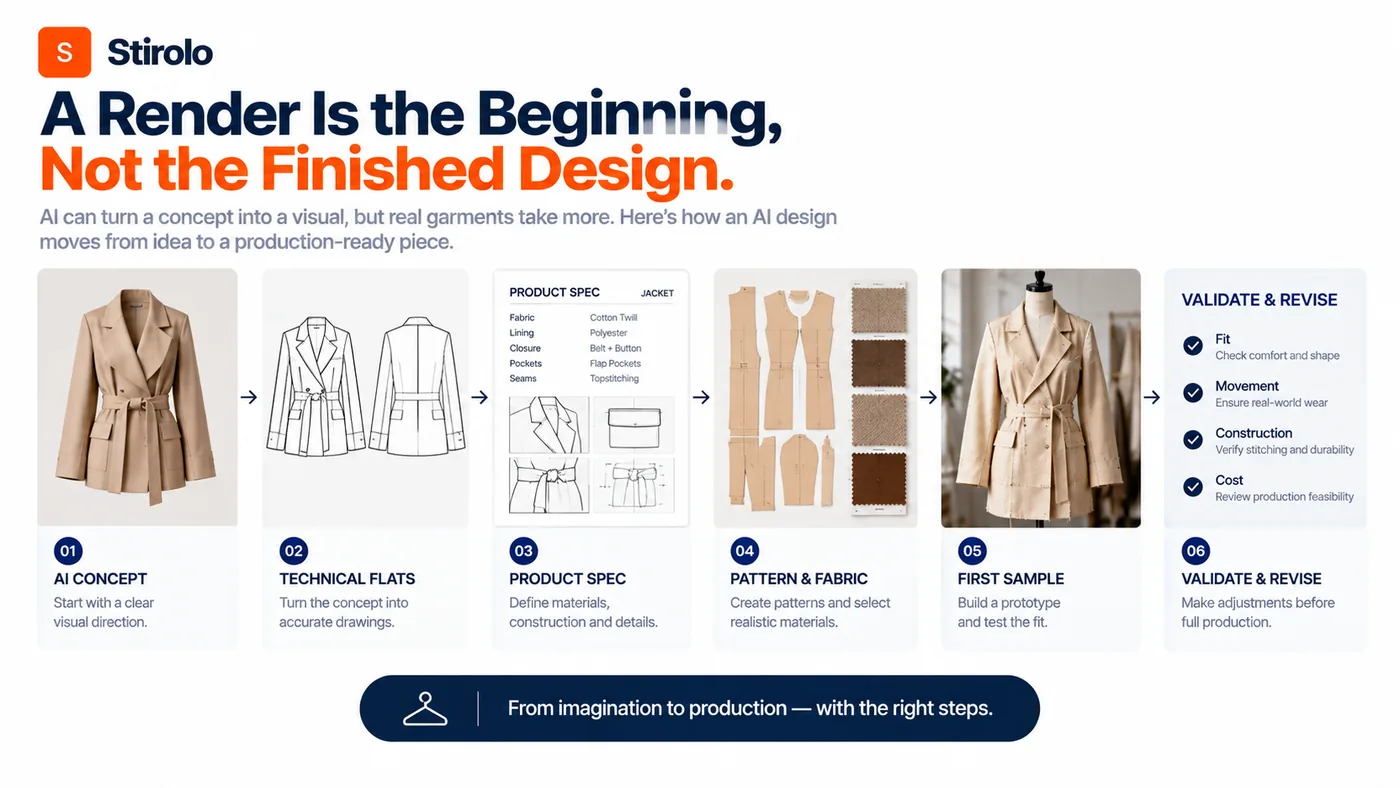
To move from an AI render to technical handoff, freeze the approved visual direction and rebuild the garment as explicit product information. Create clean front and back flats, measurements, construction callouts, bill of materials, color references, artwork placement, and finishing notes.
Do not ask a factory to infer missing construction from a photorealistic image. Different people can interpret the same render differently. Technical documentation exists to remove that ambiguity.
Treat the first sample as a test, not proof that the AI concept was correct. Compare the sample with the intended silhouette, movement, comfort, construction, and cost target. Revise the design when physical evidence disagrees with the generated image.
How Do You Keep AI Fashion Designs Original and On-Brand?
Keep AI fashion designs original by starting from your own brief, references, archive, customer understanding, and design rules rather than asking a model to imitate a living designer or recognizable brand. Originality becomes stronger when the designer supplies the point of view instead of outsourcing the point of view to the model.
Create a repeatable brand vocabulary for silhouette, proportion, palette, materials, details, styling, and exclusions. Use that vocabulary across prompts and reviews. Consistent constraints help reduce the generic polished look that appears when every design starts from an open-ended prompt.
Review tool terms before uploading confidential sketches, unreleased collections, proprietary prints, or customer information. Teams should know how a platform handles uploaded material, generated outputs, retention, and commercial usage before placing sensitive design work inside the system.
Keep human provenance records for important designs. Save sketches, drafts, prompt history, edits, technical drawings, and development decisions. A clear development trail helps the team understand what came from the designer, what AI accelerated, and what changed before production.
Which Fashion Design Tasks Should Stay Human-Led?
Creative direction, final curation, material approval, construction decisions, fit approval, brand judgment, cultural interpretation, and production sign-off should stay human-led. AI can contribute options and analysis, but those tasks carry context or physical consequences that require accountable judgment.
Designers also decide why a product deserves to exist. A model can generate hundreds of plausible garments, but quantity does not create a coherent collection. The designer decides which problem the collection solves, which references matter, what feels excessive, what feels familiar, and what should be removed.
Technical specialists remain essential because fashion becomes physical. Pattern balance, seam engineering, fabric performance, grading, finishing quality, supplier capability, target margin, and wearer comfort cannot be approved from image quality alone.
How Can Customer Styling Data Improve Fashion Design Decisions?
Customer styling data can improve fashion design when it reveals how garments combine, which silhouettes people prefer, what contexts they dress for, and which wardrobe gaps repeatedly appear. Those signals can help designers evaluate usefulness alongside visual novelty.
This is where consumer-side fashion AI adds a different perspective from concept-generation tools. Stirolo’s AI styling workflow weighs body, wardrobe, taste, occasion, and environment when producing outfit recommendations. That type of context shows why a garment succeeds or fails after purchase, not only how it looks during design review.
Its wardrobe intelligence features also connect clothing to wear frequency, outfit combinations, visualization, and shopping guidance. Designers can use the broader principle without treating personal data as a shortcut: products create value when they work with the rest of a person’s wardrobe and real routine.
Stirolo’s practical style frameworks reinforce the same idea through fit, color, capsule wardrobes, seasonal transitions, travel, and occasions. Fashion design becomes more useful when collection decisions account for those real styling constraints.
What Is the Best AI Fashion Design Workflow to Start With?
The best starting workflow is brief, research, controlled generation, curation, refinement, collection review, technical validation, sampling, and final presentation. Start with one category or small capsule before connecting AI to an entire product pipeline.
| Stage | Method | Lead | Difficulty |
|---|---|---|---|
| 1. Brief | Define customer, occasion, category, materials, palette, price and constraints. | Designer | Low |
| 2. Research | Organize references and expand moodboard directions. | Designer + AI | Low |
| 3. Generate | Explore silhouettes and visual concepts with controlled prompts. | AI + designer | Low |
| 4. Refine | Test colorways, prints, details and styling one variable at a time. | AI + designer | Medium |
| 5. Curate | Score concepts against the brief and collection language. | Designer | Medium |
| 6. Validate | Check construction, fabric, front/back logic, fit and feasibility. | Technical team | High |
| 7. Handoff | Create flats, specs, materials, measurements and production notes. | Designer + technical team | High |
| 8. Sample | Fit and revise the physical or validated 3D garment. | Human-led team | High |
| 9. Present | Create coherent lookbook, styling and campaign visuals. | Designer + AI | Medium |
Run the workflow as a loop rather than a straight line. A failed fabric test may send a concept back to refinement. A weak sample may expose a silhouette problem. A styling review may reveal that the range lacks a useful bridge piece. AI makes iteration faster, but the checkpoints keep iteration meaningful.
Frequently Asked Questions
Can AI design a complete fashion collection?
Yes, AI can help generate and visualize a complete collection, but a designer should control the brief, curation, coherence, technical validation, and final product decisions. Generated collection images do not replace production development.
What AI tools can fashion designers use?
Fashion designers can use generative image tools for ideation, fashion-specific platforms for garment visualization, 3D software for pattern-based simulation, and language models for research or documentation. Choose tools by workflow stage rather than trying to make one tool do everything.
Can AI create fashion sketches from text?
Yes. Generative AI can create fashion illustrations and garment concepts from text prompts. Use detailed constraints and reference images when consistency matters, then redraw or rebuild selected concepts for technical development.
Can AI create production-ready tech packs?
Not reliably without expert validation. AI can assist with early documentation, but production tech packs need accurate measurements, construction details, materials, artwork, grading information, and consistent technical drawings reviewed by qualified people.
Will using AI make fashion designs look generic?
Yes, generic results are possible when prompts lack a distinctive brief or designers accept outputs without strong curation. Your own references, design rules, material choices, edits, and technical decisions create a more recognizable point of view.
Use AI to Expand the Design Process, Not Replace It
AI gives fashion designers a faster way to explore possibilities, compare directions, and communicate ideas. The advantage comes from generating more useful options before expensive decisions, not from producing the largest number of images.
Start with a precise brief. Keep variables controlled. Curate against the customer and collection. Validate materials, fit, construction, and production details before approval. That workflow lets AI increase creative range while the designer remains responsible for what becomes real.